Codex vs ChatGPT: What Is the Difference? (Oct 2026)
Codex is OpenAI's coding agent and ChatGPT is its assistant. Which plans include Codex, the limits, where each runs and which to use, checked 28 Oct 2026.
Pick Codex if you want an agent that works inside a code repository from your terminal, editor or the cloud; pick ChatGPT for answers, drafts and finished documents. ChatGPT Free, Go, Plus, Pro, Business, Edu and Enterprise include Codex, on Free and Go in the desktop app subject to rollout, checked 28 Oct 2026.
You can also run Codex next to other agents in Munder Difflin, which is free and open source: a desktop app that runs a team of AI agents for all kinds of knowledge work, coding included, on your own computer. This page sits in our Comparisons hub. For Codex alone, start with what is Codex.
Codex vs ChatGPT at a glance (checked 28 Oct 2026)
Codex is the coding agent and ChatGPT is the assistant around it; they share your account and your usage.
| Codex | ChatGPT | |
|---|---|---|
| What it is | OpenAI’s coding agent | OpenAI’s assistant: Chat for answers, Work for finished tasks |
| Use it to | Build, debug, test or review software | Ask, draft, research, analyze, create files |
| Where it runs | Desktop app, CLI, IDE extension, Codex Cloud, mobile | Web, desktop app, mobile |
| Sign in | ChatGPT account or API key | ChatGPT account |
| Plans | Free, Go, Plus, Pro, Business, Edu, Enterprise, or an API key | The same ChatGPT plans |
| Usage | Shared with ChatGPT Work | Work uses Codex’s pricing, credits and limits |
| Open source | CLI under Apache-2.0 | Not listed on OpenAI’s open source page |
What is the difference between Codex and ChatGPT?
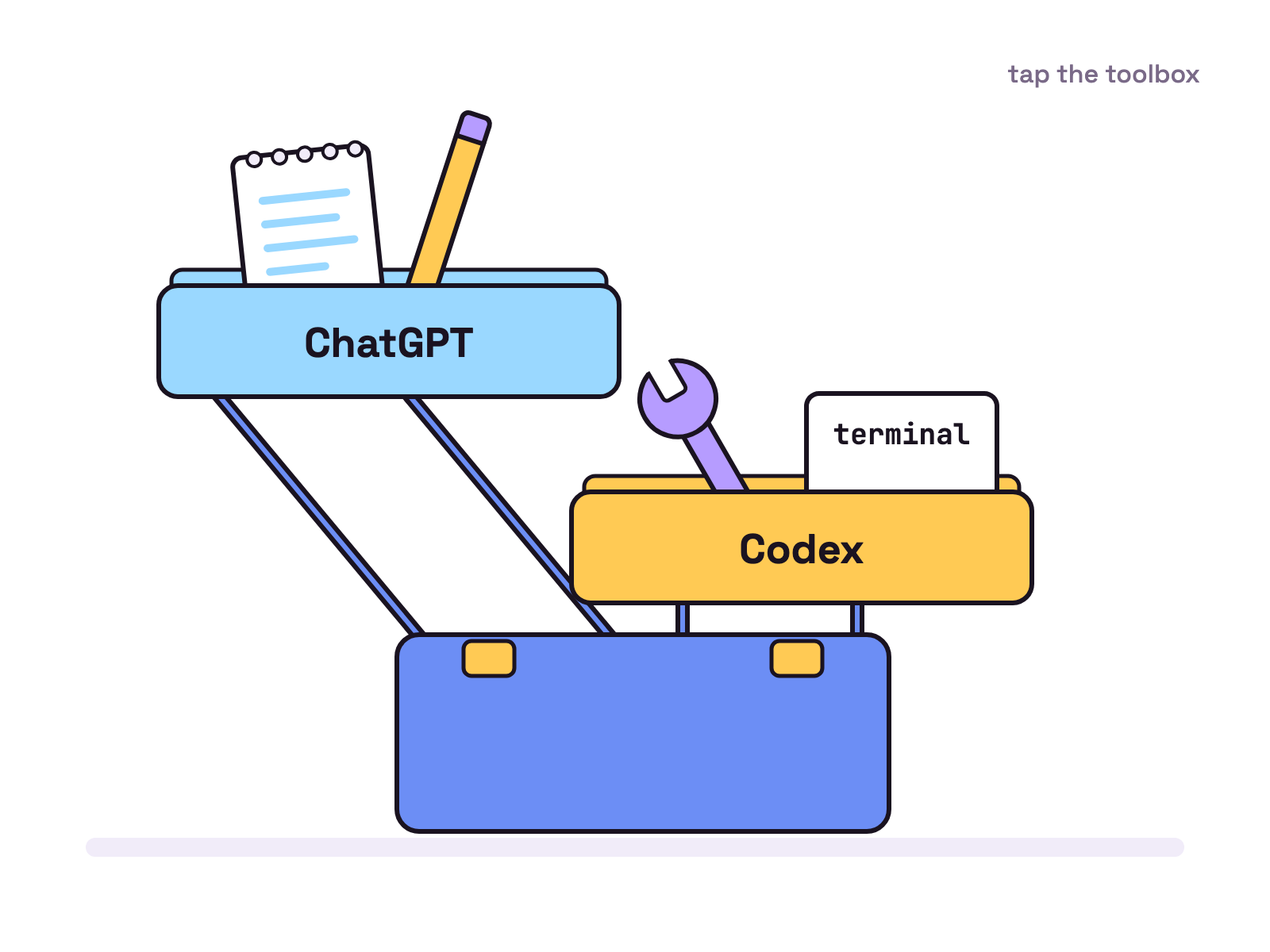
The difference is the job: ChatGPT talks and produces documents, Codex works on code with developer tools. OpenAI’s Use ChatGPT page puts it in one line: “Use Chat for a question or back-and-forth. Turn on Work in the switcher when you want ChatGPT to carry a larger task through to a reviewable result. Select Codex when you want developer views or more technical detail, especially for software development.”
So is Codex part of ChatGPT? Yes. The desktop app page tells you to “Choose ChatGPT or Codex” when you send your first message. The pricing page says “ChatGPT Work usage inside ChatGPT uses the same pricing, credits, and usage limits as Codex.”
Codex also lives outside the app. The Codex README says “Codex CLI is a coding agent from OpenAI that runs locally on your computer.” GitHub listed the repo under Apache-2.0 on 28 Oct 2026, with release rust-v0.165.0 published on 27 Oct.
Do you need a ChatGPT plan to use Codex?
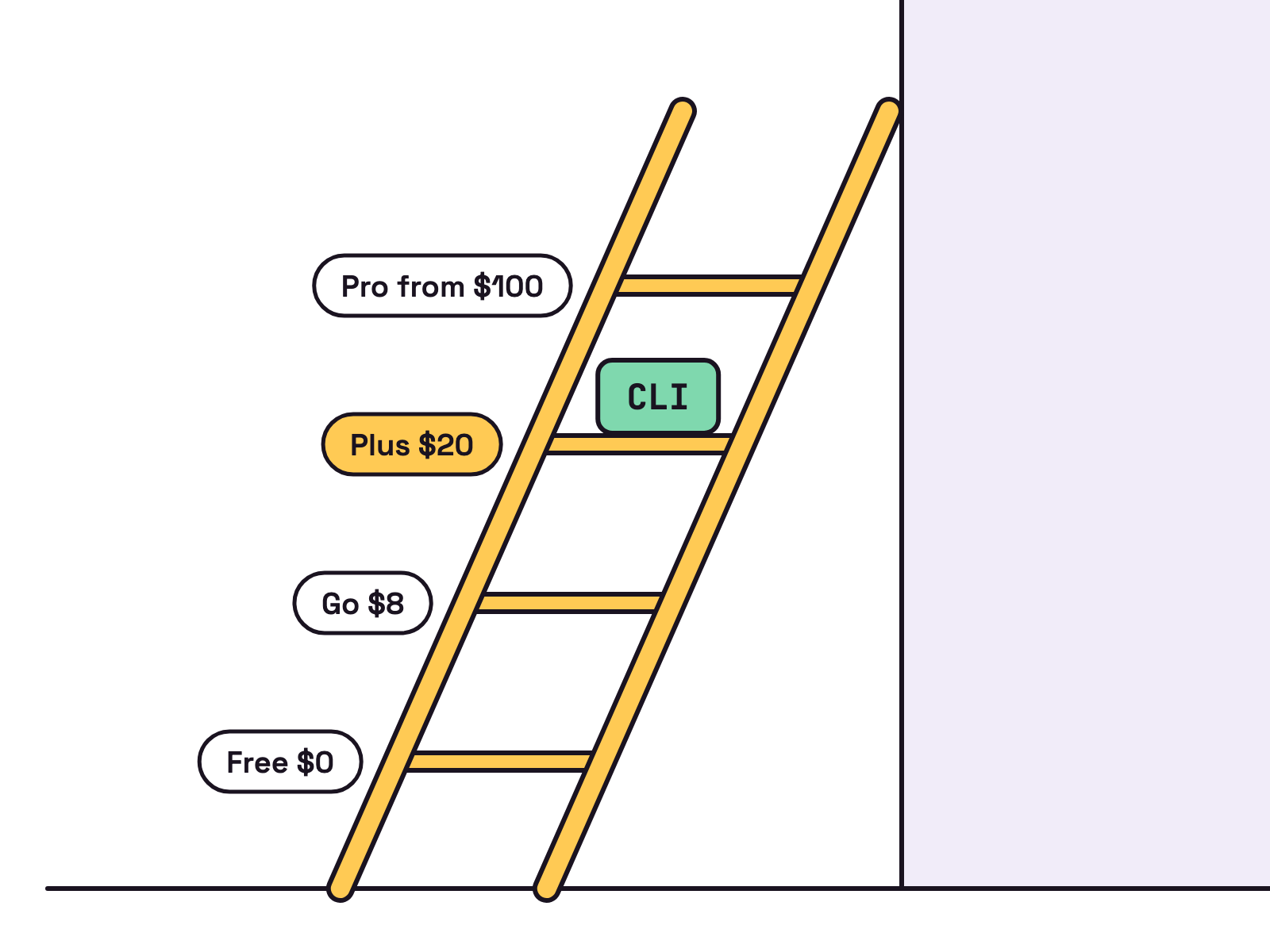
No, an API key works too, but a plan decides where you can use Codex. OpenAI’s pricing page listed these plans, in US dollars, on 28 Oct 2026:
- Free at $0 and Go at $8 a month (28 Oct 2026): “GPT-6 Luna at Standard speed in the desktop app, subject to rollout”.
- Plus at $20 a month (28 Oct 2026): “Codex on the web, in the CLI, in the IDE extension, and on iOS”, automatic code review and Slack, GPT-6.1 Sol and GPT-6 Luna.
- Pro from $100 a month (28 Oct 2026): “Plans at $100, $200, or $500 USD per month”, with Ultrafast mode on Pro $500.
- Business at $20 per user a month (28 Oct 2026): for two or more users billed annually, or $25 billed monthly.
- API key: Codex “in the CLI, SDK, or IDE extension”, with “No cloud-based features”, billed at API pricing.
Limits are estimates, not caps. For Plus and Standard Business, the page estimated local messages “per five-hour period”: 15 to 160 on GPT-6.1 Sol and 350 to 3,000 on GPT-6 Luna. It adds that “Weekly limits may also apply” and that “Pro plans currently have no five-hour limit.” Codex pricing has the credit rates.
Where does each one run?
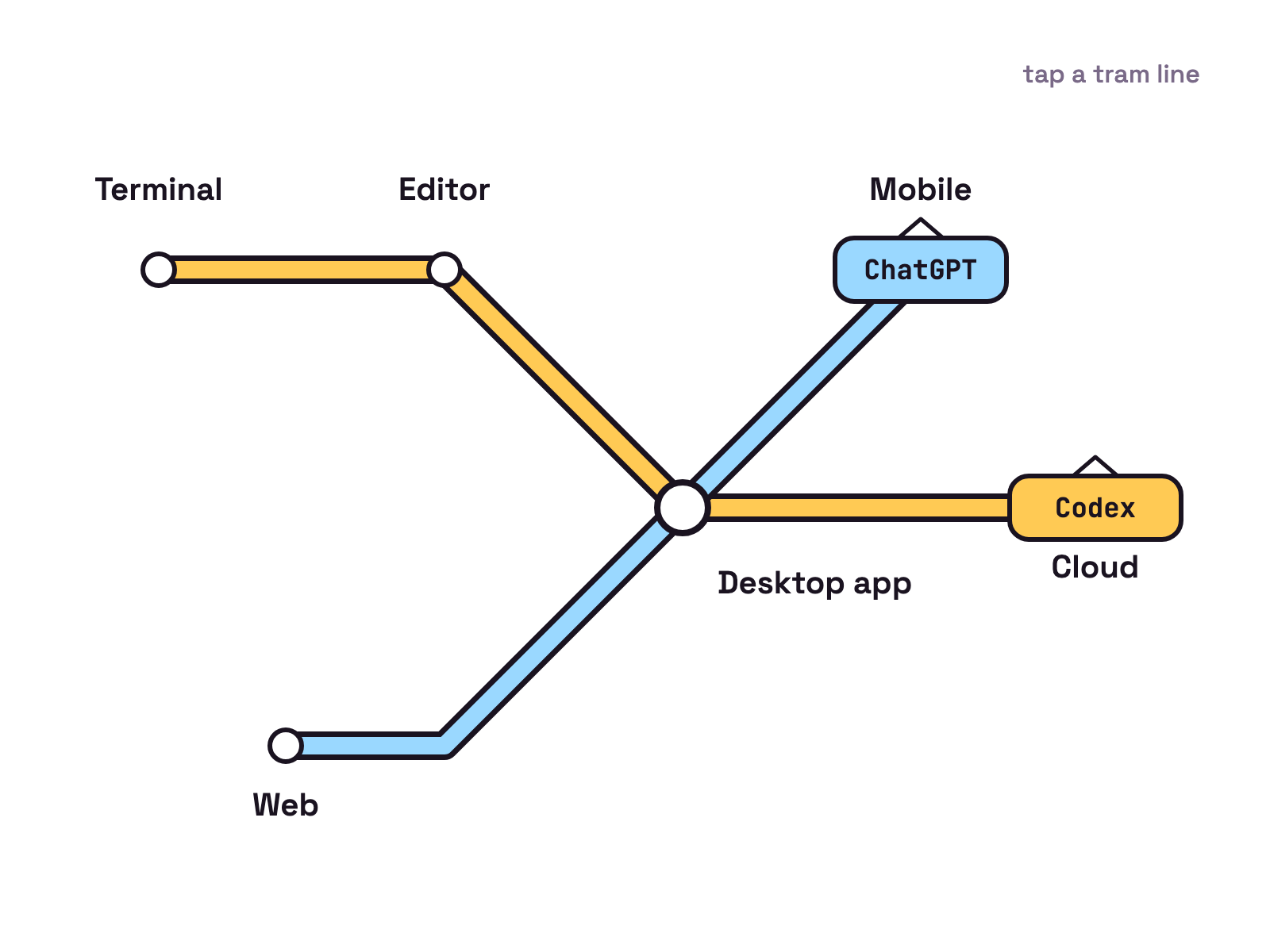
ChatGPT runs on the web, the desktop app and mobile; Codex adds your terminal, your editor and OpenAI’s cloud. The desktop app comes “for macOS or Windows”, with a Linux installation guide.
- Codex CLI: the CLI page says Codex can “inspect files, make edits, and run the tools already installed on your machine”, and
codex execruns it in scripts and CI. - IDE extension: per the IDE page, “VS Code and compatible editors use the Codex extension; Xcode and JetBrains IDEs provide their own integrations.”
- Codex Cloud: each task “has its own workspace and can keep working while your computer is asleep”, according to the cloud page.
- Mobile: OpenAI’s mobile page says the ChatGPT mobile app can start, guide and approve Codex tasks that run “in the cloud or on a connected computer”, with availability depending on rollout and your workspace settings.
Our Codex CLI install guide covers the terminal setup.
Which is better for coding?
Codex, for anything that touches a repository. OpenAI’s dots page lists Codex for when you want to “build, debug, test, or review software and work directly with code and developer tools”. Model choice differs too: the pricing page says “GPT-6.1 Sol is available in Work and Codex, not Chat.”
ChatGPT Work can still handle some code. The Use ChatGPT page says it can “Run code and shell commands, analyze data, inspect files, review code, and work with repositories your selected environment can access.” The Work page also says that if you used Codex for non coding work, “you can stay in Codex or use ChatGPT Work instead.”
Our view: Chat to think it through, Codex to change the code, Work for the write up. Same bill, three tabs.
Pick Codex if…, pick ChatGPT if…
Pick by what you need handed back: a diff or a document.
Pick Codex if:
- You want an agent that edits files and runs commands in your repo.
- You want to script it in CI with
codex execor an API key. - You want cloud tasks that keep going while your laptop sleeps.
Pick ChatGPT if:
- You want an answer, a brainstorm or a draft (Chat).
- You want a deck, report or spreadsheet you can review (Work).
- You are on Free or Go and mostly ask questions.
For other coding agents, see Codex vs Claude Code and Codex alternatives.
Can you run Codex next to other agents?
Yes. Codex is one CLI among several, and they can run side by side.
Munder Difflin is one place to do that. It runs a team of agents for research, writing, ops and coding on engines such as Claude Code, Codex and Gemini CLI, takes work in from Slack and webhooks, and connects tools through MCP servers, skills and plugins. The agents run on your computer, or in its Cloud Office, always on, with your computer off; a mobile app is coming soon. How to install and use Munder Difflin walks through setup.
FAQ
Is Codex part of ChatGPT?
Yes. OpenAI's docs say ChatGPT Work and Codex are included in your ChatGPT Free, Go, Plus, Pro, Business, Edu or Enterprise plan, and the ChatGPT desktop app asks you to choose ChatGPT or Codex. The Codex CLI is also an open source project on GitHub under Apache-2.0. Checked 28 Oct 2026.
Do I need ChatGPT Plus for Codex?
Not to try it. On 28 Oct 2026 OpenAI's pricing page listed Free at $0 and Go at $8 a month with GPT-6 Luna in the desktop app, subject to rollout. Plus at $20 a month (28 Oct 2026) is the first card that lists Codex on the web, in the CLI, in the IDE extension and on iOS. An API key works without a plan.
Is Codex better than ChatGPT for coding?
For work inside a repository, yes. OpenAI's docs say to use Codex when you want to build, debug, test or review software and work directly with code and developer tools. ChatGPT Work can also run code and review it in the environment you select.
What are the Codex usage limits on Plus?
OpenAI publishes estimates, not fixed limits. On 28 Oct 2026 its pricing page estimated 15 to 160 local messages per five hours on GPT-6.1 Sol and 350 to 3,000 on GPT-6 Luna for Plus, said weekly limits may also apply, and said Pro plans currently have no five hour limit.
Can I use Codex without a ChatGPT account?
Yes, with an API key. OpenAI's pricing page says an API key gives you Codex in the CLI, SDK or IDE extension, billed at API pricing, with no cloud based features such as GitHub code review or Slack. Checked 28 Oct 2026.