Cursor vs Cline: A Paid Editor and an Open Source Agent Compared
Cursor vs Cline, checked 19 Oct 2026: Cursor's new X Subscription plans, Cline's free open source agent, which models each lets you use and which to pick.
Cursor vs Cline comes down to how you want to pay. Pick Cline for a free, Apache 2.0 agent where you bring your own model key. Pick Cursor for one paid plan with its own editor and CLI, plus cloud agents from Premium up, now sold inside The X Subscription with Grok and X. Checked 19 Oct 2026.
If you would rather run several agents side by side than pick one, Munder Difflin is free and open source: a desktop app that runs a team of coding agents such as Claude Code, Codex and Gemini CLI on your own computer. More head to heads live in our Comparisons hub.
What are Cursor and Cline?
Cursor calls itself “your coding agent for building ambitious software”. It ships a desktop editor, a CLI you install with one command, cloud agents, code review through Bugbot and code hosting through Origin. Cursor’s blog says “Cursor has officially been acquired by SpaceX” (14 Aug 2026), and since 12 Oct 2026, per Cursor’s forum post, its plans are sold as part of The X Subscription, which its docs call “one subscription for Grok, Cursor, and X”. Cursor’s public GitHub repository lists no licence.
Cline calls itself “The open source coding agent in your IDE, terminal, & desktop.” It runs as a VS Code extension, a JetBrains plugin, a CLI with a headless mode, a desktop app and an SDK. Apache 2.0, 70,550 stars and extension v4.1.25 (16 Oct 2026) on 19 Oct 2026. Our Kilo Code vs Cline page compares it with another open source coding agent.
Cursor vs Cline at a glance, checked 19 Oct 2026
| Cursor | Cline | |
|---|---|---|
| Licence | None listed on its GitHub repo | Apache 2.0 |
| Where it runs | Desktop editor, CLI, cloud agents | VS Code, JetBrains, CLI, desktop app, SDK |
| Cheapest plan | Free $0, limited usage (19 Oct 2026) | Free for individuals, you pay for inference (19 Oct 2026) |
| Paid plans | Plus $8, Premium $30, Super $100, Ultra $200 a month (19 Oct 2026) | Enterprise, contact sales (19 Oct 2026) |
| Models | Cursor’s own models on Plus; third party models at API list price on Premium and above | At cost through Cline, or your own key |
| Teams | $30, $100 or $200 per seat a month (19 Oct 2026) | Enterprise, contact sales |
Cursor’s prices come from its models and pricing docs and pricing page; Cline’s from cline.bot/pricing. All read on 19 Oct 2026.
How does Cursor’s new pricing work?
Cursor’s forum post of 12 Oct 2026 says The X Subscription “brings together Grok, Grok Bot, Cursor, and X Premium in one plan”, with one usage pool that refreshes weekly.
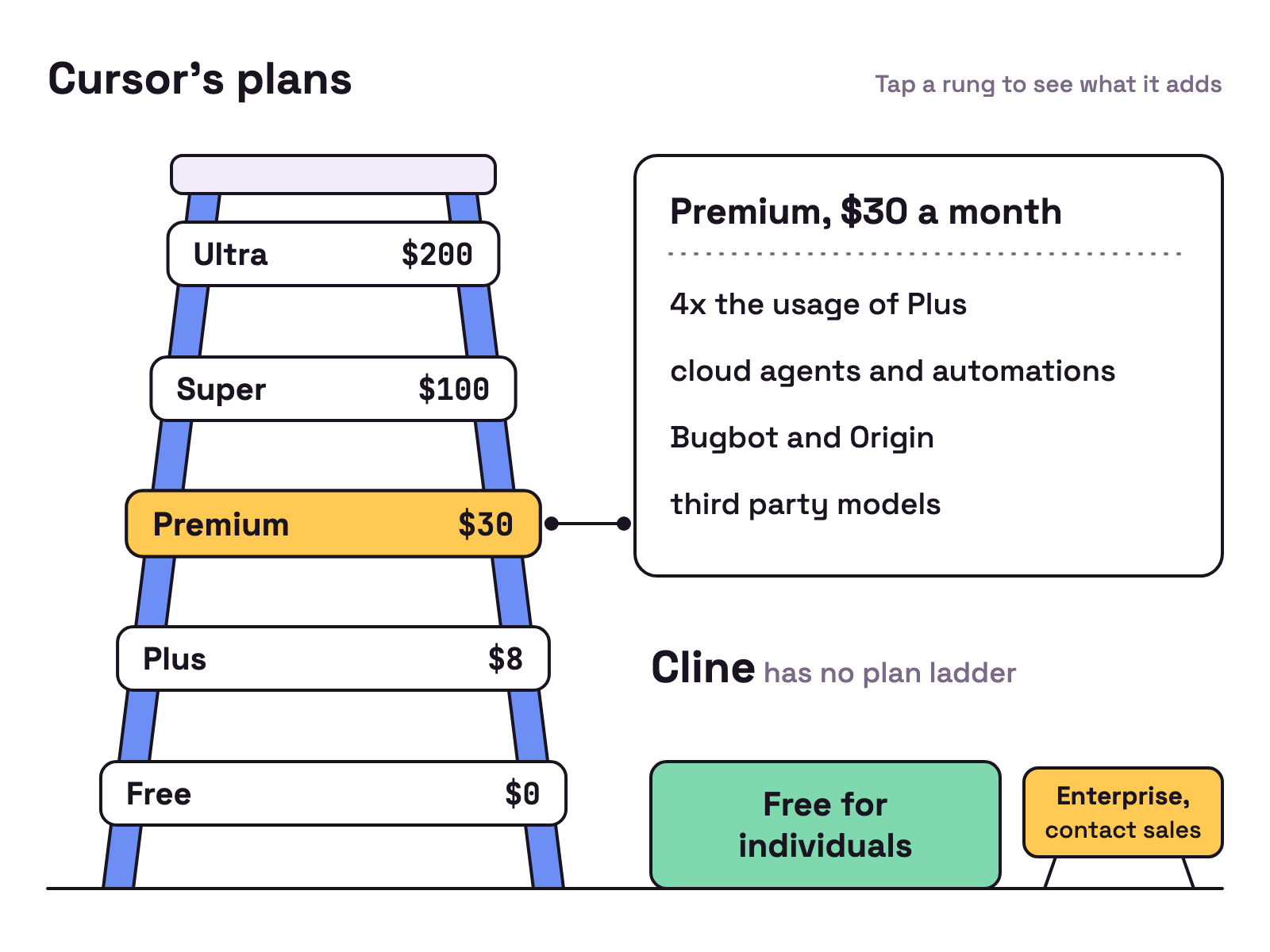
Cursor’s models and pricing docs list these plans on 19 Oct 2026:
- Free, $0: Agent and Chat with limited usage.
- Plus, $8 a month: Agent with Cursor’s own models (Grok 4.7, Grok 4.6, Grok 4.5 and Composer 2.5) at fixed settings. The docs say Plus has no cloud agents, no third party models and no use of your own API keys.
- Premium, $30 a month: 4x the usage of Plus, plus cloud agents and automations, Bugbot, Origin and third party models “at API list price, paid from prepaid credit”.
- Super, $100, and Ultra, $200: 15x and 50x the usage of Plus.
If you are on an older Cursor plan such as Pro or Pro+, the docs say it keeps working as it is. Cline has no plan ladder: the agent is free for individuals, and Enterprise adds SSO and support at a custom price.
Which models can you use?
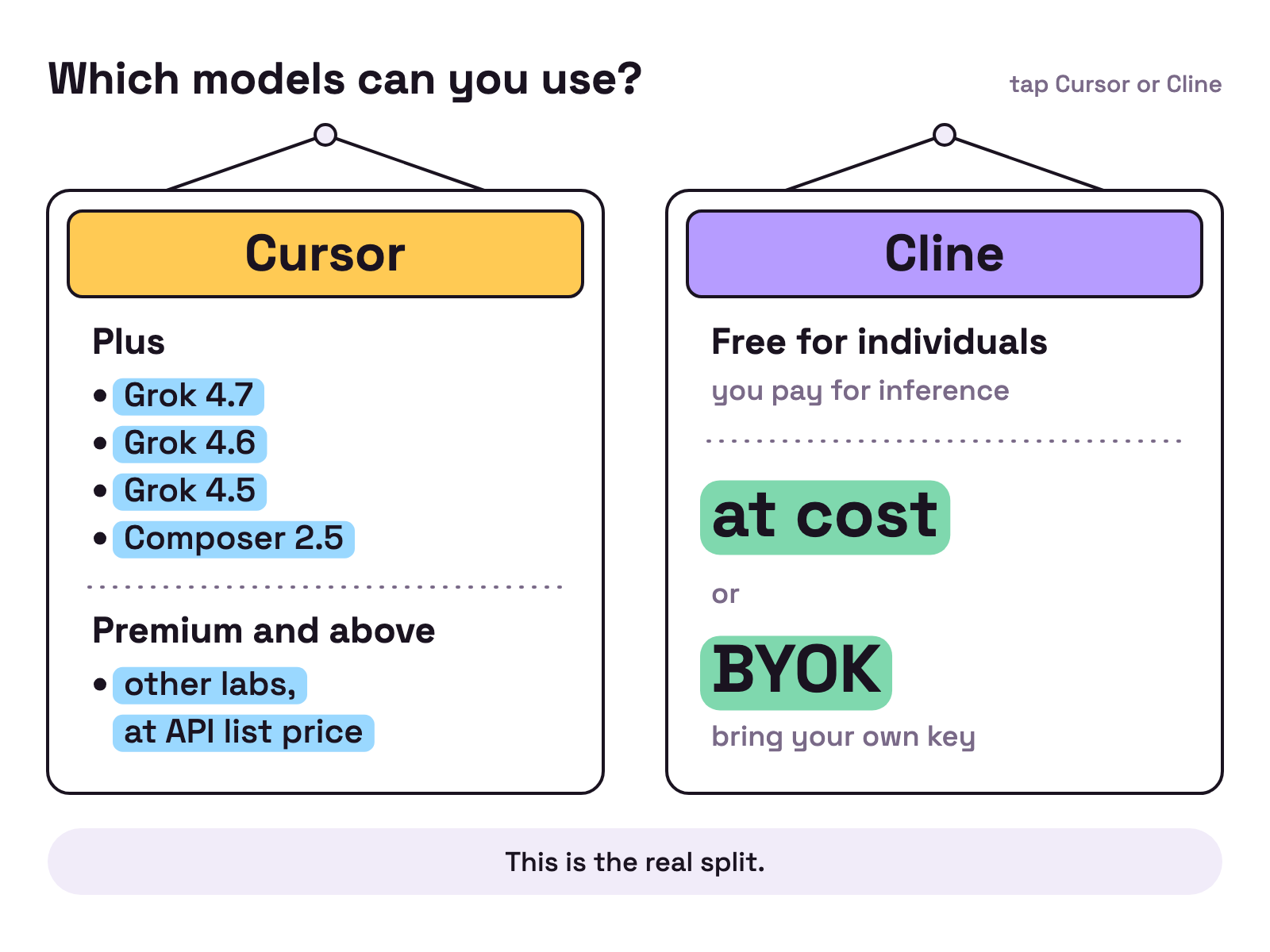
This is the real split.
- Cline works with your own key from the first day. Its pricing page says “Pay only for AI inference on a usage basis” and lists inference “at Cost or BYOK”. BYOK means bring your own key: you pay your model provider directly.
- Cursor steers the cheaper tiers to its own models. On Plus you get Grok and Composer models only. From Premium up you can add models from other labs, billed at API list price from credit you buy ahead.
Where does each one run?
Both reach the editor and the terminal, in different ways.
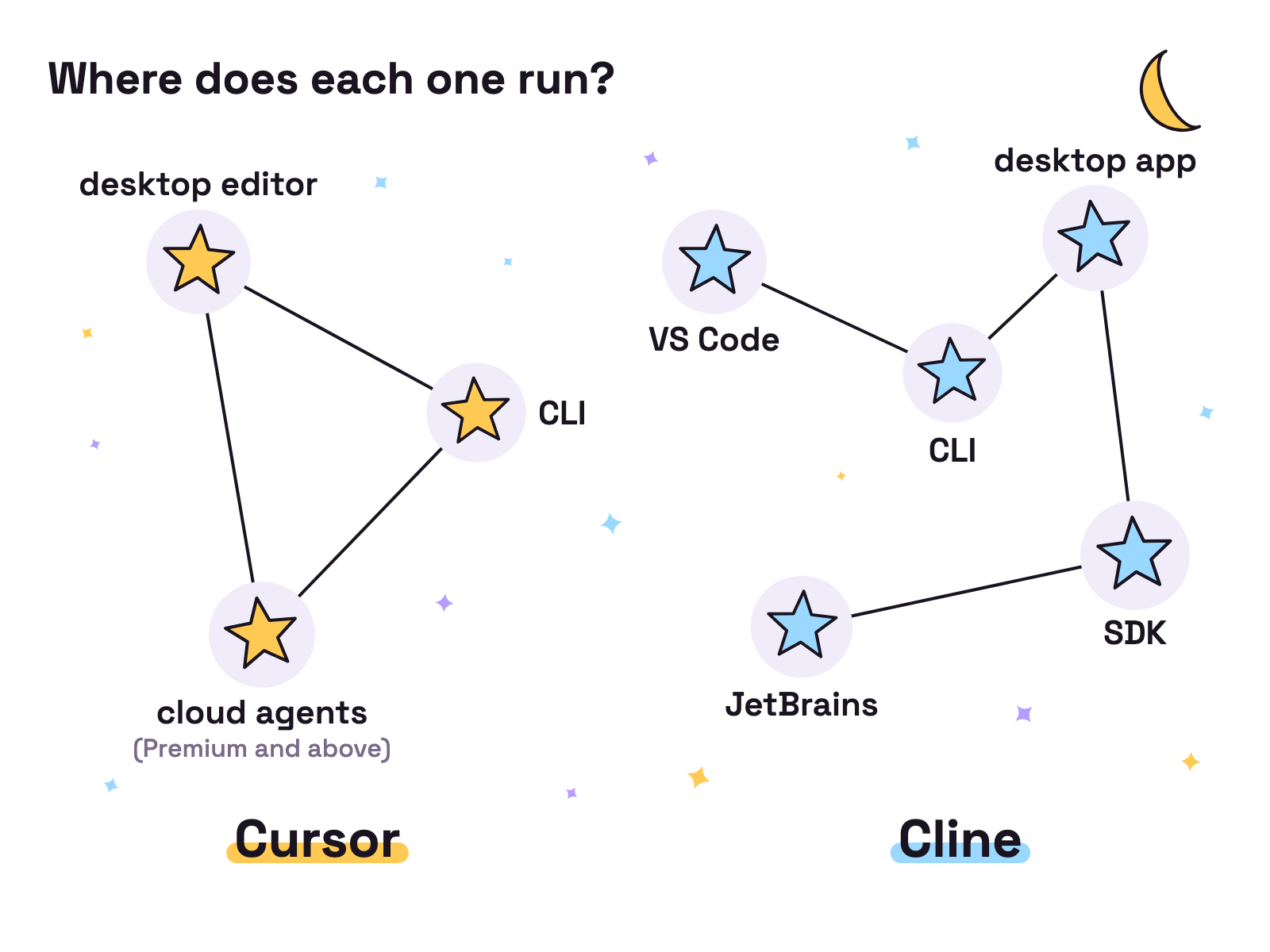
- Cursor is an editor first, with a CLI for the terminal, scripts and GitHub Actions, and cloud agents on Premium and above.
- Cline lives in VS Code as an extension. It also has a desktop app for macOS and Windows and an SDK, and extension v4.1.25 added Cline Cloud sessions, “rolling out gradually”. Cline also has a JetBrains plugin, though its pricing page still lists the JetBrains extension under Enterprise.
Which should you pick?
Pick by who you want to pay.
- Pick Cline if you want an open source licence, your own model keys, or to stay in VS Code without a subscription.
- Pick Munder Difflin if you want different agents, such as Claude Code and Codex, working on one job side by side; see also best Claude Code multi agent tools.
- Pick Cursor if you want the editor, the agent and Cursor’s own models on one plan: Grok and Composer models on Plus, or Premium at $30 a month (19 Oct 2026) plus prepaid credit for models from other labs.
For more options on either side, read Cursor alternatives. New to running agents together? Start with the Munder Difflin install guide.
FAQ
Is Cline better than Cursor?
Neither wins outright. Cline fits people who want an Apache 2.0 agent and to pay their model provider directly with their own key. Cursor fits people who want one paid plan with its own editor and CLI, plus cloud agents from Premium up. Checked 19 Oct 2026.
How much does Cursor cost now?
Since 12 Oct 2026, per Cursor's forum post, Cursor is sold as part of The X Subscription. Cursor's pricing page lists Free at $0, Plus at $8 a month, Premium at $30, Super at $100 and Ultra at $200 (19 Oct 2026). Older Cursor plans keep working as they are.
Can I use my own API key in Cursor?
Not on Plus. Cursor's docs say Plus has no third party models and no use of your own API keys. Premium and above add third party models at API list price, paid from prepaid credit. Cline works with your own key on its free plan.
Is Cline free?
Yes, for individuals. Cline's pricing page says "Cline is free for individual developers." You still pay for AI inference, either at cost through Cline or with your own key. Checked 19 Oct 2026.
Who owns Cursor?
SpaceX. Cursor's blog post of 14 Aug 2026 says "Cursor has officially been acquired by SpaceX." Its plans are now sold together with Grok and X.