What is NVIDIA OpenShell? The agent sandbox, explained
NVIDIA OpenShell runs AI agents in a sandbox with file, network and credential policy. What it is, how to install it, what v0.1.8 changed, alternatives.
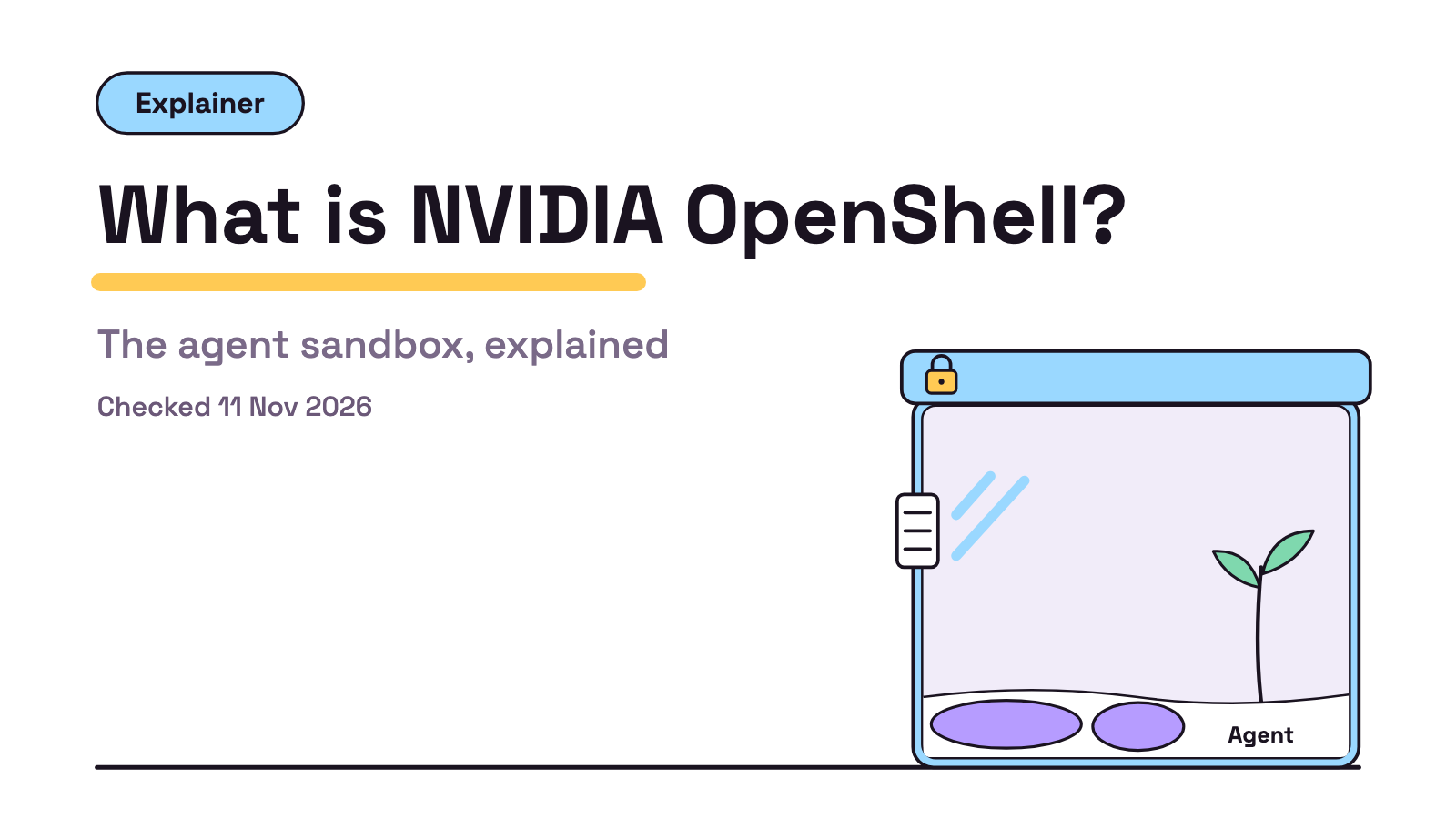
NVIDIA OpenShell is an open source runtime that runs each AI agent in a sandbox and lets it touch only the files, hosts and credentials your policy allows. Its docs aim it at teams running agents on Linux, Apple Silicon Macs or Kubernetes. The latest stable release is v0.1.8, published 10 Nov 2026. Checked 11 Nov 2026.
If you came here from Pi: its README names OpenShell as one of three ways to box Pi in, which our what is Pi agent explainer and Pi vs Claude Code cover. We covered OpenShell in Agent Tools Today, 23 Oct, when it was at v0.1.5. Unattended runs, one topic in our Claude Code Max plan tips, are where we think a sandbox earns its keep. More explainers live under Concepts.
What is NVIDIA OpenShell?
OpenShell is a runtime that wraps each agent in its own sandbox and enforces a policy on what it can reach. The OpenShell README calls it “the safe, private runtime for fleets of autonomous AI agents” and puts the idea in one line: “You declare what each agent can touch in a policy, and OpenShell enforces it.”
The README splits it into a gateway, a supervisor and the sandbox, and gives the licence as the Apache License 2.0. The GitHub API showed 21,443 stars at 16:12 UTC on 11 Nov 2026, with the repo not archived.
The README also says “OpenShell is now part of the CNCF”, with development moving to the ai-openshell organisation; until then, code and issues stay at NVIDIA/OpenShell.
How does OpenShell sandbox an agent?
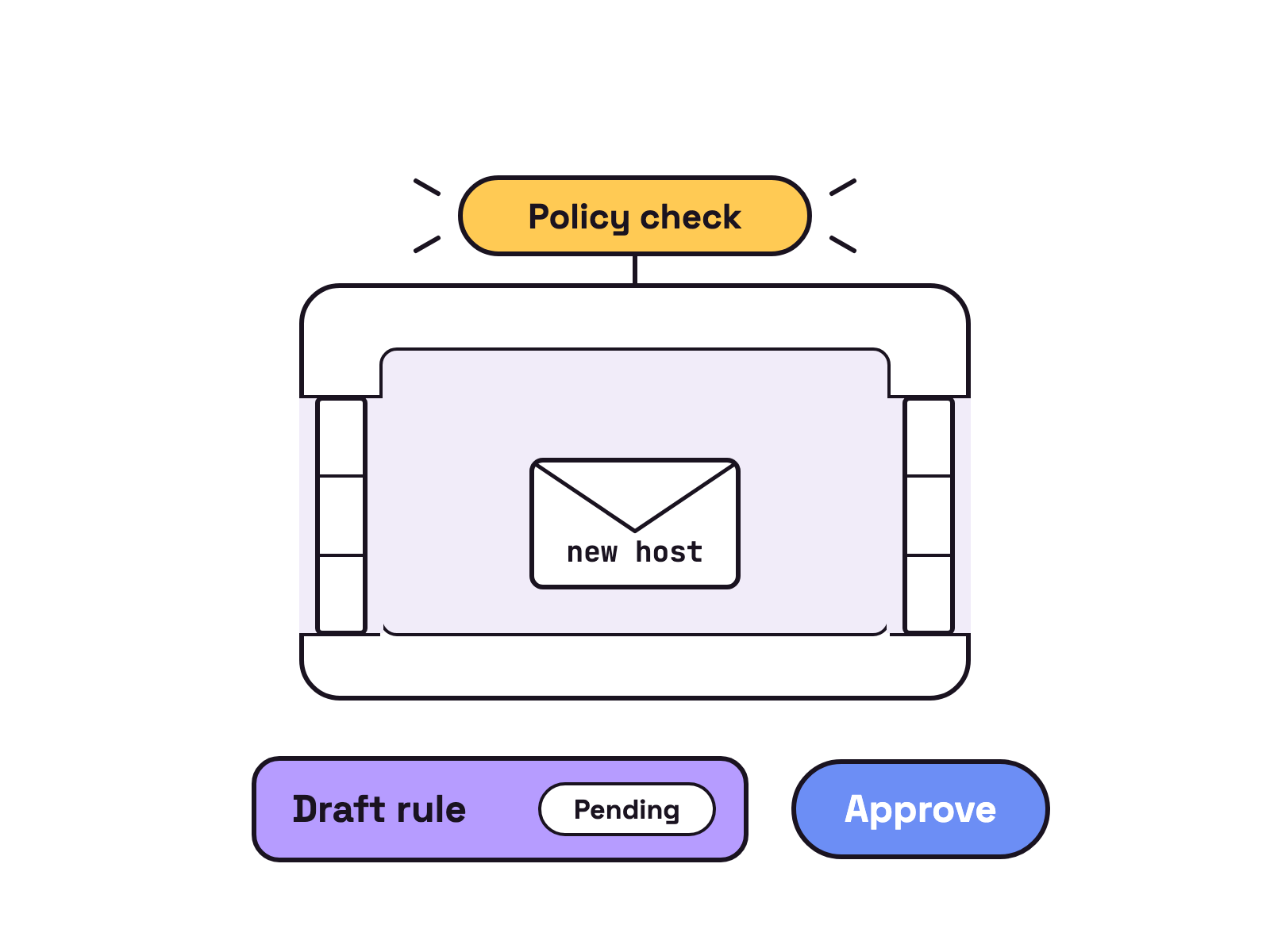
Per its README, kernel controls confine the agent, and every file access, system call and network connection is checked against your policy. The README says “every network connection passes through a policy check before it leaves the sandbox.” Policy changes get formal verification first, which flags risky new access “such as reaching a new host with credentials or calling a new API method” for a person to review.
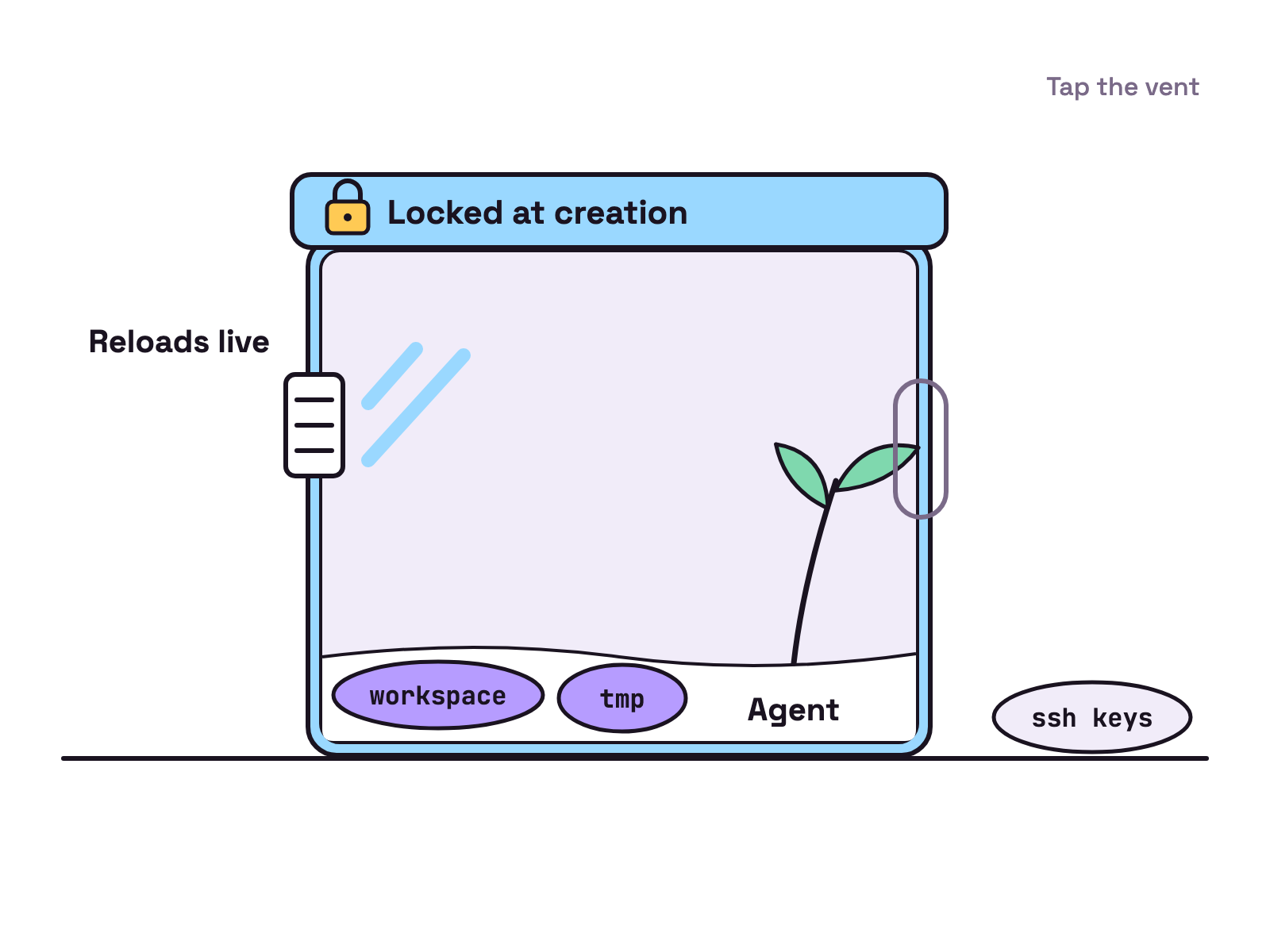
NVIDIA’s overview docs name the parts: Landlock confines the filesystem to declared paths, seccomp and an unprivileged process identity block privilege escalation, and network policies deny any destination you have not approved. The same page says filesystem and process rules lock when the sandbox is created, while network rules reload as it runs.
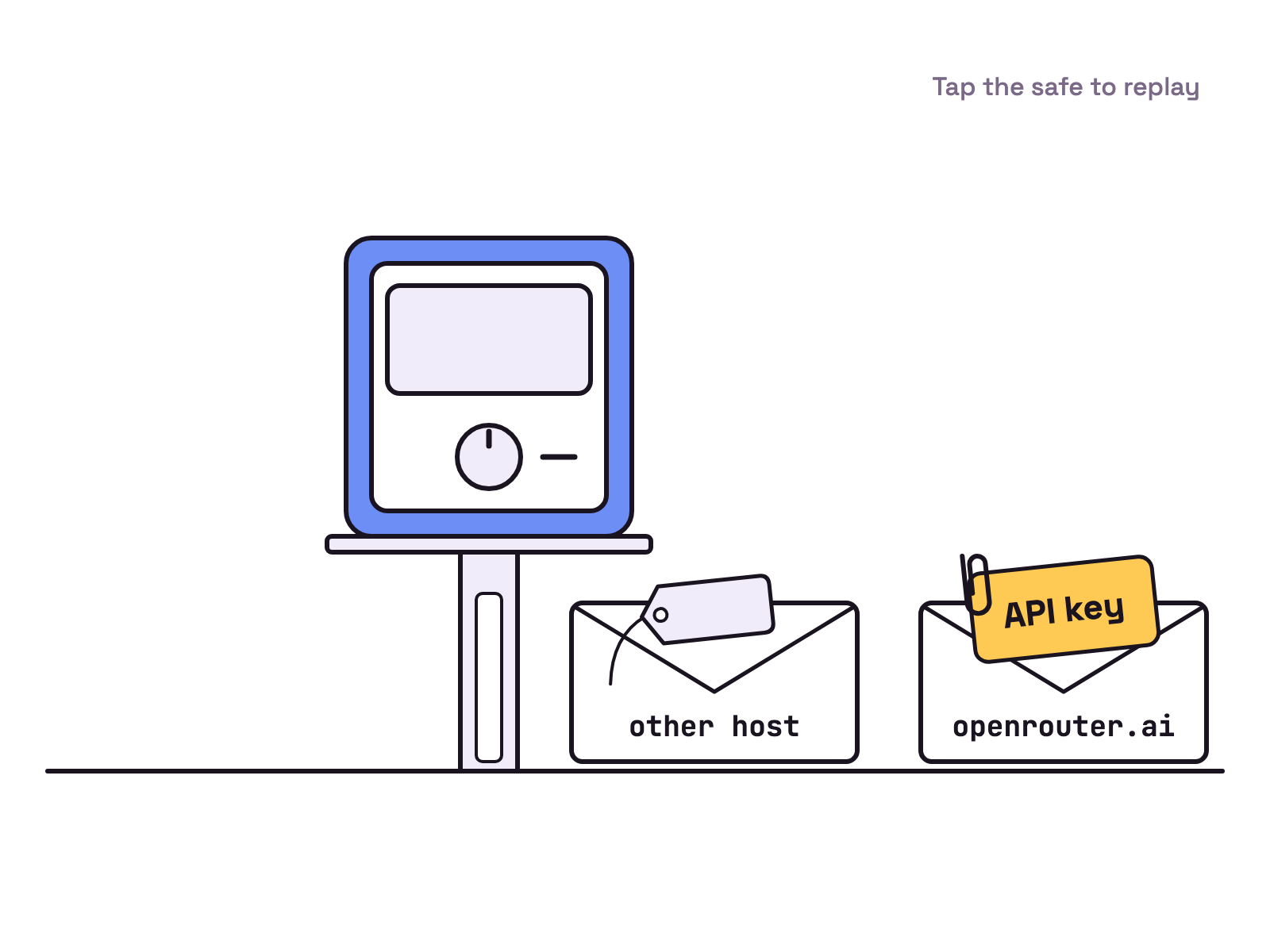
Credentials stay out of the agent’s reach. The README says “Agents never see real credentials; OpenShell adds them only to requests bound for approved endpoints.” In the Run Your First Agent guide, an OpenRouter key goes into a provider, and OpenShell keeps it “in the credential store and sends it only to” openrouter.ai.
When an agent hits a blocked host, the guide says OpenShell denies the request and drafts a rule. You review drafts with openshell rule get my-agent --status pending, and, per the guide, approved rules “hot-reload into the running sandbox without a restart”.
Which agents does it support?
Any agent you can put in a container image. The Run Your First Agent guide says “OpenShell can run any agent that is available in a sandbox image.” The overview docs list Claude Code, OpenCode, Codex and GitHub Copilot CLI as secure coding agent examples, and the guide’s worked example runs OpenCode against a free OpenRouter model. NVIDIA’s docs also carry a tutorial, Run Pi with OpenRouter.
The default sandbox image is minimal Ubuntu with no agent installed, per the README. A fresh sandbox therefore runs no agent until you add one.
How do you install it?
Run the install script, then create a sandbox. This is the README’s quickstart:
curl -LsSf https://raw.githubusercontent.com/NVIDIA/OpenShell/main/install.sh | sh
openshell sandbox create --name demo
The README lists what you need: “Linux, macOS on Apple Silicon, or Windows with WSL 2 (experimental), plus Docker, Podman, or host virtualization.” The support matrix sets minimums of Docker 28.0, Podman 5.x and Kubernetes 1.29.
What changed in v0.1.8?
Mostly fixes, plus stricter credential and policy rules. The v0.1.8 release notes, published 10 Nov 2026, carry nine upgrade notes. Two upgrade notes and one bug fix stand out:
- “Static provider credentials without placement metadata now resolve only in the
Authorizationheader or through explicitly enabled body/WebSocket rewrite policies”, so custom headers need an explicit placement. - “Sandboxes now fail to launch when a filesystem policy path goes through a symlink inside a writable workspace”.
- “Deleted sandboxes no longer leave memory behind on the gateway”.
On status: the README carries no alpha label. It says 0.1.x brings “a stable release cadence”, and the support matrix says stable releases “generally go out every week”. Our view: with nine upgrade notes in one patch, pin a version with OPENSHELL_VERSION=v0.1.8 as the release notes show.
What are the alternatives?
Four other ways to box an agent in, each read on 11 Nov 2026:
| Option | What it isolates | Where it runs |
|---|---|---|
| Plain Docker | The whole agent process | A local container |
| Gondolin for Pi | Pi’s built in tools and ! commands |
A local Linux micro VM |
| Claude Code sandbox | Shell commands only | Your machine, enforced by the OS |
| E2B | The whole agent session | A cloud microVM |
Plain Docker. Docker’s overview calls a container “a loosely isolated environment” and says it is “relatively well isolated from other containers and its host machine” by default.
Gondolin for Pi. Pi’s containerization guide describes Gondolin as “a local Linux micro-VM”: Pi stays on the host and its built in tools run in the VM. It warns that commands there “inherit the host process environment”, so it is no credential boundary by default. Gondolin’s GitHub repo calls it experimental, and the GitHub API lists its last release as v0.14.0 on 22 Oct 2026.
Claude Code’s sandbox. Anthropic’s sandboxing docs describe “a boundary that the operating system enforces around the shell commands Claude runs on your machine”. The docs say it is off by default, runs on macOS, Linux and WSL2, and leaves file tools, MCP servers and hooks outside it.
E2B. The E2B site promises “An isolated machine for every AI agent”, one microVM per session, in its cloud or your own AWS, GCP or Azure account.
Our view: OpenShell if you need per host rules and keys the agent never sees, Docker if a plain fence will do, Claude Code’s sandbox if Claude Code is your only agent.
If you run several agents side by side, Munder Difflin is free and open source: a desktop app that runs a team of AI agents for all kinds of knowledge work, coding included, on your own computer. The install guide covers setup.
FAQ
Is NVIDIA OpenShell free?
Yes. The GitHub repo is licensed under the Apache License 2.0, checked 11 Nov 2026, and the README lists no price. Model calls can still cost money, though the guide's example uses a free OpenRouter model.
Does OpenShell work with Claude Code?
Yes. NVIDIA's overview docs list Claude Code, OpenCode, Codex and GitHub Copilot CLI as secure coding agent use cases. OpenShell runs any agent that is available in a sandbox image, so you put the agent in the image and attach a provider for its key.
Does OpenShell run on macOS or Windows?
macOS on Apple Silicon is supported with Docker Desktop. Windows with WSL 2 and Docker Desktop is marked Experimental in the support matrix, and native Windows through Microsoft MXC lives on a separate windows branch.
Does OpenShell collect telemetry?
Yes, by default. The README says it collects anonymous telemetry limited to operational categories and counts, and not prompts, credentials, file paths or user content. Set OPENSHELL_TELEMETRY_ENABLED=false on the gateway to turn it off.
Is OpenShell still an NVIDIA project?
The code still lives at NVIDIA/OpenShell, but the README says OpenShell is now part of the CNCF. Development is moving to the ai-openshell organisation and governance to the CNCF, and the v0.1.8 docs drop "NVIDIA" from the name.