Launching Munder Difflin v0.2.0
Munder Difflin v0.2.0 is here: a Command Center overhaul, per-agent token budgets, live OpenTelemetry observability, a circuit breaker, durable SQLite persistence, and a big round of community fixes.
Munder Difflin v0.2.0 is the observability and control release. You get a redesigned Command Center, per-agent token budgets with live fleet monitoring, a built-in OpenTelemetry collector with per-model cost and a per-agent tool-span waterfall, a circuit breaker (steer → constrain → stop, plus a cost/runaway guard) backed by a scheduler heartbeat, human-in-the-loop gating with mid-run steer and graceful stop, and durable SQLite persistence with a cost ledger. On top of that: a memory-condensing MemoryReflector, a configurable hive/memory home, one-click team restore, and a stack of community fixes. Most of this release was built by the community — thank-yous in full below.
When we shipped the first public versions of Munder Difflin, the pitch was simple: stop being the human message bus for your Claude Code agents and let them run as a coordinated hive instead. That part worked. What we heard back, over and over, was the next problem: once the agents are running as a team, you can’t see them, and you can’t stop them. A floor of avatars is lovely until one of them quietly burns through your budget in a loop.
So v0.2.0 is about exactly that — seeing the fleet and staying in control of it. It’s also, more than any release before it, a community release: most of the work below came from external contributors filing issues and sending pull requests. We’ll credit every one of them by name at the end.
A note on what’s in here. Everything described below shipped in the v0.2.0 milestone (48 commits since v0.1.9). Where a change closed a specific issue or merged a specific PR, we’ve credited the contributor and the issue/PR number — the same credits appear in the CHANGELOG.
The Command Center, rebuilt
The Command Center — Michael’s control surface — got the biggest single overhaul of the release. It’s now the place you actually run the floor from, not just glance at it. The roster, dispatch, schedules, memory, and activity views were reworked to carry the new live signals (budgets, telemetry, breaker state) without turning into a wall of numbers. Small but real: the title-bar settings control is now a clear gear chip, the GOD orchestration tabs scroll properly when there are a lot of them, and per-PTY input is serialized so the boot sequence can’t jam mid-spawn.
You can finally see the fleet
The marquee feature of v0.2.0 is observability — going from “the agents are doing something” to a live, quantified picture of the whole fleet.
- Per-agent token budgets + live fleet monitoring. Every agent carries a budget, and the floor monitors consumption live, so a single agent can’t quietly run the bill up without it showing.
- A built-in OpenTelemetry collector. A live OTel telemetry collector and a usage-provider seam feed real numbers in, with per-model cost so you can see where the spend actually goes.
- A fleet grid + per-agent tool-span waterfall. A live grid of the whole fleet, and for any single agent, a tool-span waterfall that shows what it spent its turn doing — which tool calls ran, in what order, for how long.
- A context-window gauge on every agent card. The agent card’s old progress bar was repurposed into a context-window gauge, so you can tell at a glance how close each agent is to filling its context. (Thanks @Gulum — #12.)
This is the layer we wrote about wanting in observability for agent fleets: not a dashboard bolted on the side, but the live state of the team where you’re already looking.
…and you can stay in control of it
Seeing is half of it. The other half is being able to act — gently or firmly — without killing everything.
- A circuit breaker with a steer → constrain → stop ladder. When an agent misbehaves, the breaker doesn’t
just pull the plug. It tries to steer it back on task first, then constrain it, and only stops it
as a last resort. A cost/runaway guard trips the same ladder when an agent loops or blows its budget, and
hook signals (like repeated identical tool calls) and an
onApiErrorseam feed the breaker the evidence it needs. - A scheduler heartbeat. A heartbeat beat tracks each agent’s last output so the system knows when one has gone quiet or idle — the signal the breaker and the schedules view both rely on. The SCHEDULES view now shows the heartbeat row plus last-fired / next-fired times.
- Human-in-the-loop, mid-run. A HITL gate, mid-run steer, and graceful stop all land through hook returns — so you can approve, redirect, or cleanly halt an agent in the middle of a turn instead of yanking it. (More on the philosophy in human-in-the-loop AI agents.)
- New avatar states. The floor now shows a compacting state (on
PreCompact) and a looping state (when the breaker engages), so the visual layer reflects what the control layer is doing.
If you want the design rationale behind the ladder, building reliable AI agents covers why “steer before you stop” beats a hard kill switch.
Memory and persistence that survive a restart
Coordination is only as good as what the hive remembers across runs, so v0.2.0 made the durable layer real.
- Durable SQLite persistence. Phase A of a SQLite durable store now persists window bounds and history, with
a durable cost ledger (
cost-ledger.jsonl) and a persistedsession_idso cost and provenance survive restarts. - MemoryReflector — memory condensation. The “janitor” finally has its missing half: a MemoryReflector that condenses memory instead of only mining it, keeping the semantic store lean. (See compressing agent memory for why condensation matters.)
- A configurable hive/memory home folder. You can now point the hive and memory home at a folder of your choosing, with a safe move that relocates existing data.
- One-click “Restore team.” After a harness restart, a single click brings back the last session’s workers — no more re-adding agents one by one. (Thanks @Gulum — #16.)
- Delete scheduled missions. Scheduled missions now have a delete button. (Thanks @Gulum — #9.)
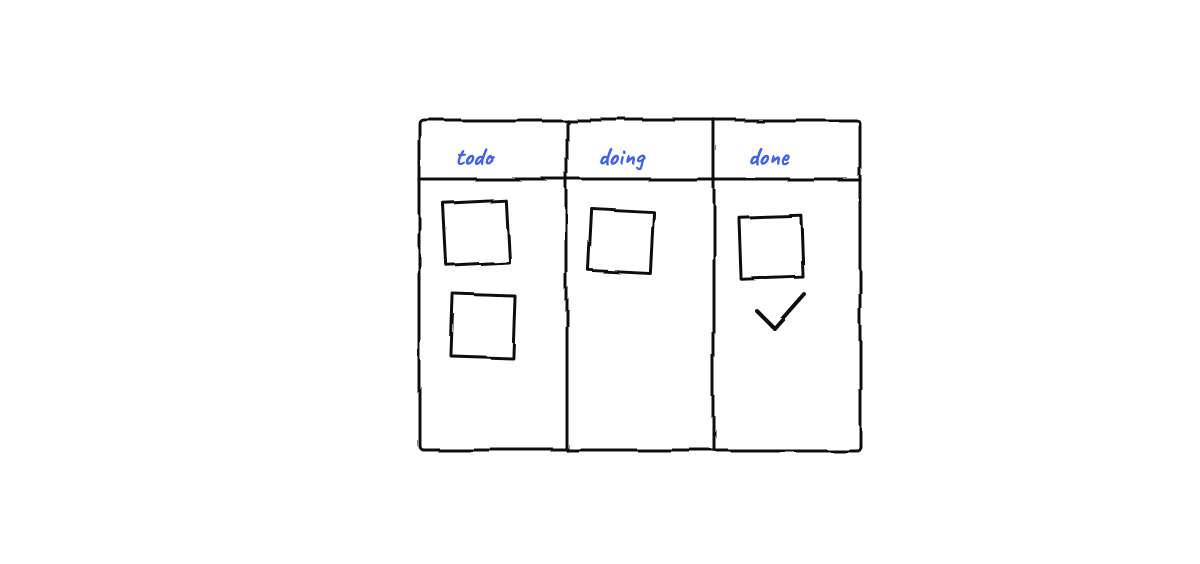
Legibility and cross-platform fixes
A big chunk of v0.2.0 is the unglamorous, high-impact work of making the thing actually pleasant to read and reliable to run everywhere — almost all of it community-driven.
- Terminal contrast + HiDPI legibility. A minimum-contrast-ratio floor and a tuned light palette keep text legible on colored backgrounds across both the new and legacy terminal views.
- Crisp floor text. A HiDPI canvas, bold bubbles, and a fix for walk-flicker make the office-floor text sharp, and thought-cloud text now stays 1:1 when the window shrinks. (Thanks @Gulum — #20.)
- Scroll that behaves. The terminal no longer jumps to the top of history on the first scroll, and the viewport dead zone is gone. (Thanks @Gulum — #8.)
- Windows: keep the hive alive behind the lock screen. The hive used to freeze when Windows locked; v0.2.0 keeps it awake and un-throttled. (Thanks @Gulum — #18.)
- Live agent statuses and composer-draft fixes round it out. (Thanks @Gulum — #7, #27, #28.)
A community release
Here’s the part we’re proudest of. Most of v0.2.0 was built by the community. Issues turned into fixes, and pull requests turned into features. Thank you, sincerely, to everyone below.
Pull requests
- @Gulum — the bulk of the community work in this release: the terminal rendering overhaul, the context-window gauge (#12), one-click restore of workers (#16), delete-scheduled-missions (#9), the Windows lock-screen fix (#18), the scroll-position fix (#8), live agent statuses (#7), HiDPI floor text (#20), and the composer-draft fixes (#27, #28).
- @Xileck — palace writer-lock serialization, plus the Windows named-pipe + mempalace detection work that keeps the hook server and semantic memory working on Windows.
Issues & feedback
- @JLAD75 — the Windows hive router /
hooks.sockreport (#1). - @albozes — Michael cancelling his own bypass-permissions prompt (#2).
- @billrehm — the Windows GOD-spawn error 193 (#22).
- @darrensheffield — the uv-not-installed assumption (#30) and macOS Gatekeeper (#29).
- @pdurlej — the first-class Codex CLI provider request (#21).
- @wild-gobatz — agents showing idle until clicked (#3).
And, as ever, maintained by @chaitanyagiri. If you want the full, line-by-line list with every credit, the CHANGELOG has it.
Get v0.2.0
Munder Difflin is free, open source (MIT), and local-first on macOS, Windows, and Linux. If you’ve already got it, upgrading is in-place — your hive, memory, and schedules carry forward, and you can one-click Restore team after the restart. If you’re new, the fastest way to feel the difference is to download Munder Difflin and run a few agents until you want to watch them — which, as of v0.2.0, you finally can.
This release exists because people filed issues, sent PRs, and told us what hurt. If v0.2.0 fixed something you reported: thank you. If it didn’t fix something you’re hitting, open an issue — the next release is built the same way this one was.
FAQ
What's new in Munder Difflin v0.2.0?
v0.2.0 is the observability and control release. The headline changes are a redesigned Command Center, per-agent token budgets with live fleet monitoring, a built-in OpenTelemetry collector with per-model cost and a per-agent tool-span waterfall, a circuit breaker (a steer → constrain → stop ladder plus a cost/runaway guard) backed by a scheduler heartbeat, human-in-the-loop gating with mid-run steering and graceful stop, and durable SQLite persistence with a cost ledger. It also lands a long list of community-driven UX and cross-platform fixes.
Do I have to reconfigure anything to upgrade to v0.2.0?
No. v0.2.0 introduces durable SQLite persistence and a configurable hive/memory home folder, but existing installs migrate in place — your agents, memory, board, tasks, and schedules carry forward. After a harness restart you can also one-click 'Restore team' to bring back the last session's workers.
How does the circuit breaker keep agents from running away?
The breaker watches each agent through a steer → constrain → stop ladder and a cost/runaway guard, fed by hook signals (like repeated identical tool calls) and a scheduler heartbeat that knows when an agent has gone quiet. When an agent loops, storms errors, or blows its token budget, the breaker steers it first, constrains it next, and stops it as a last resort — and the avatar shows a 'looping' state so you can see it happen.
Is Munder Difflin still free and open source?
Yes. Munder Difflin is MIT-licensed, local-first, and runs on macOS, Windows, and Linux. v0.2.0 is a community release in the most literal sense — most of the work in this version came from external contributors, credited in full below and in the CHANGELOG.