AI Agent Use Cases From a Real Company: Every Agent on Our Floor and the Job It Does
We run our company on Munder Difflin. Every seat on our floor: what each AI agent does, how its work starts, what comes out, and how to copy it.

We run our own company on Munder Difflin, and these are the AI agent use cases on our floor: fourteen agents, each with one job, one way its work starts and one thing it hands back. Checked against our own records on 14 Oct 2026.
Munder Difflin is free and open source: a desktop app that runs a team of coding agents such as Claude Code, Codex and Gemini CLI on your own computer. New here? The install guide gets you a working office, your first hour covers the first jobs, and the Guides hub has the rest.
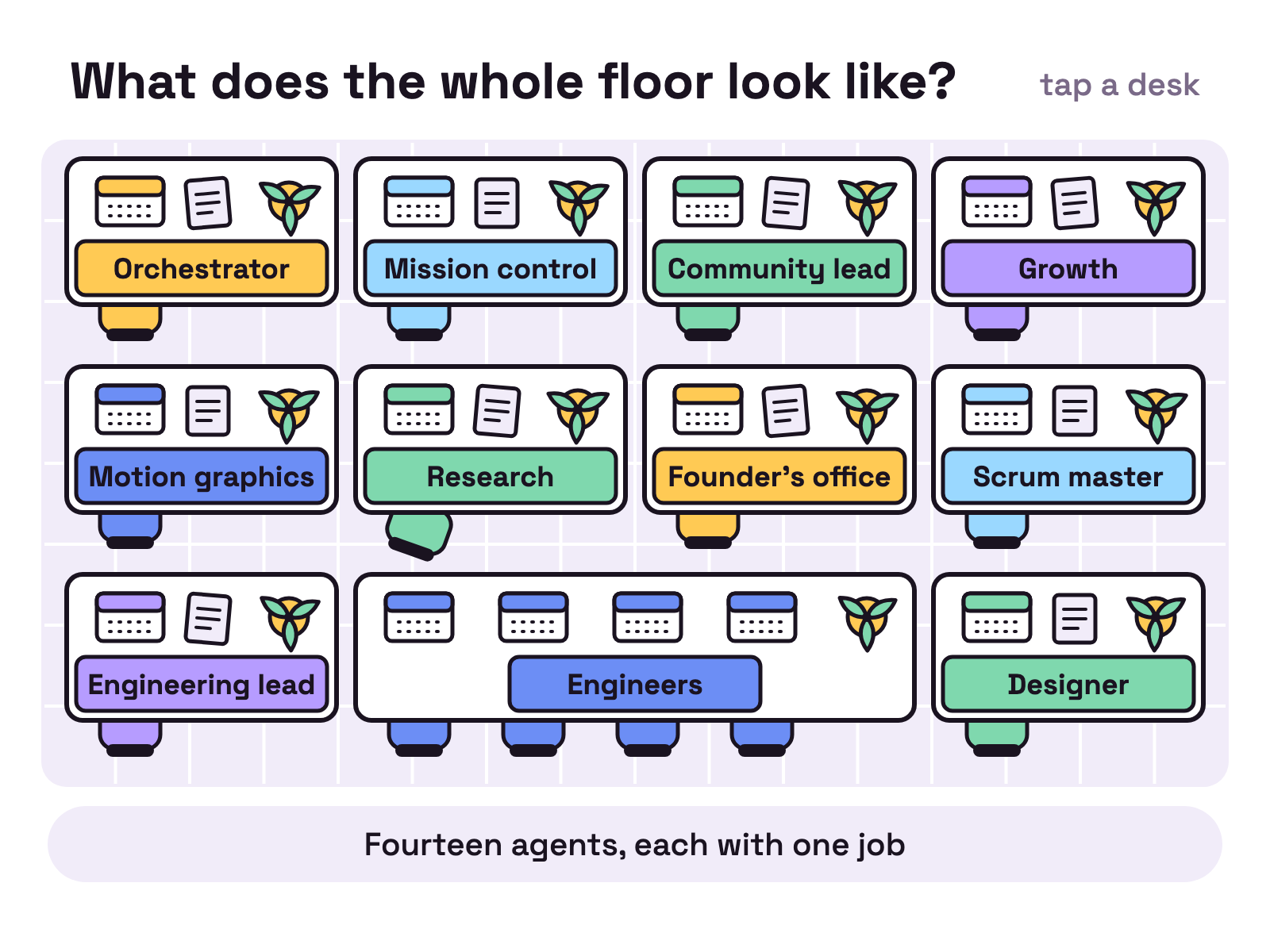
What does the whole floor look like?
Fourteen agents, and each seat has one job. Most names come from the cast the app ships with; BOB, AgentG and Darryl are names we chose.
| Seat | Agent | The job in one line | How its work starts |
|---|---|---|---|
| Orchestrator | your clone | Takes your orders, splits them into jobs, asks you only what needs you | Your chat |
| Mission control | Ryan | Keeps one page of company numbers fresh | A schedule, every 6 hours |
| Community lead | Angela | Sorts what users say into a digest and a demand list | When the orchestrator asks |
| Growth | Jim | Researches and writes this blog | Schedules at 09:30 and 21:30 |
| Motion graphics | BOB | Launch videos and animation loops from real app screens | A request |
| Research | AgentG | A daily scout report, a link for every claim | One message from Jim |
| Founder’s office | Andy | Assists the founder: a morning briefing, Slack answers, email drafts | A schedule at 09:00, and Slack |
| Scrum master | Meredith | Keeps the task board readable | A schedule, every 12 hours |
| Engineering lead | Kevin | Plans the work and gates every piece | A builder saying “done” |
| Engineers | Darryl, Stanley, Creed, Dwight | Build the pieces | Kevin’s orders (Dwight: the founder’s) |
| Designer | Pam | Draws every new screen before any code | A task card |
Ad hoc agents and temps fill the gaps, and they get their own section below. Two seats, community and motion graphics, have been quiet since early October.
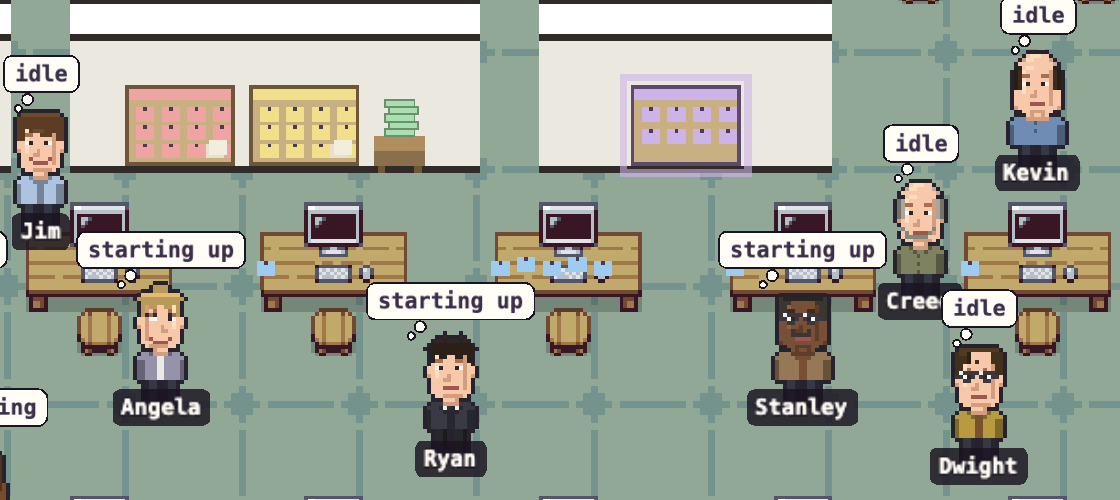
And here is part of the real thing, at six in the morning:
What does the orchestrator do?
The orchestrator is the only agent you have to talk to. Ours takes an order from the founder’s chat, writes a short dispatch for the right agent (the objective, the output, the tools, the limits) and reports back when it is done.
It also guards your attention. When only a person can move a job forward, it writes one short question on a card. We call that an ASK ME card. The answer goes back on the same card, and nobody sits idle waiting for it.
Copy it: you already have this seat. It is the agent you name during setup. How the orchestrator routes work explains its decisions.
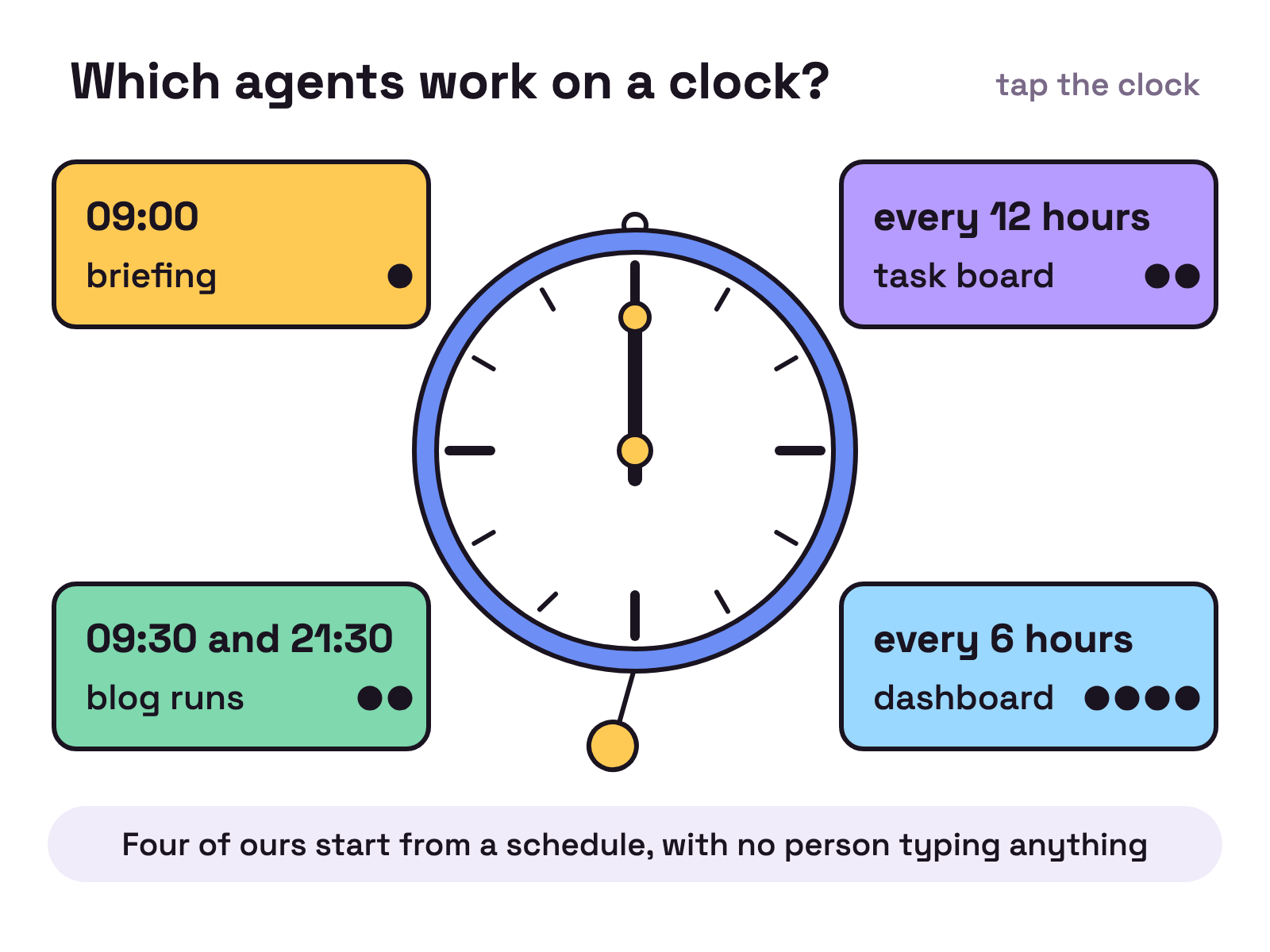
Which agents work on a clock?
Four of ours do their main job on a schedule, with no person typing anything.
- Andy, 09:00. Sends the founder a morning briefing.
- Jim, 09:30 and 21:30. Checks search data, reads the scout’s report, writes pages and opens one pull request per run. Three shorter checks a day look for new launches.
- Ryan, every 6 hours. Wakes on a schedule and, twice a day, runs the scripts that refresh the company dashboard. Asked for a number, it marks each one measured or inferred.
- Meredith, every 12 hours. Rewrites each workstream card in one shape: where it stands, who has it, what changed, what is next, what waits on you.
A board nobody can read is a diary. Meredith’s has one reader, and that is enough.
Copy it: in the app, schedules live under Automations (Triggers in the classic office). Pick the agent, pick the time, and write the message. It is sent word for word on every run.
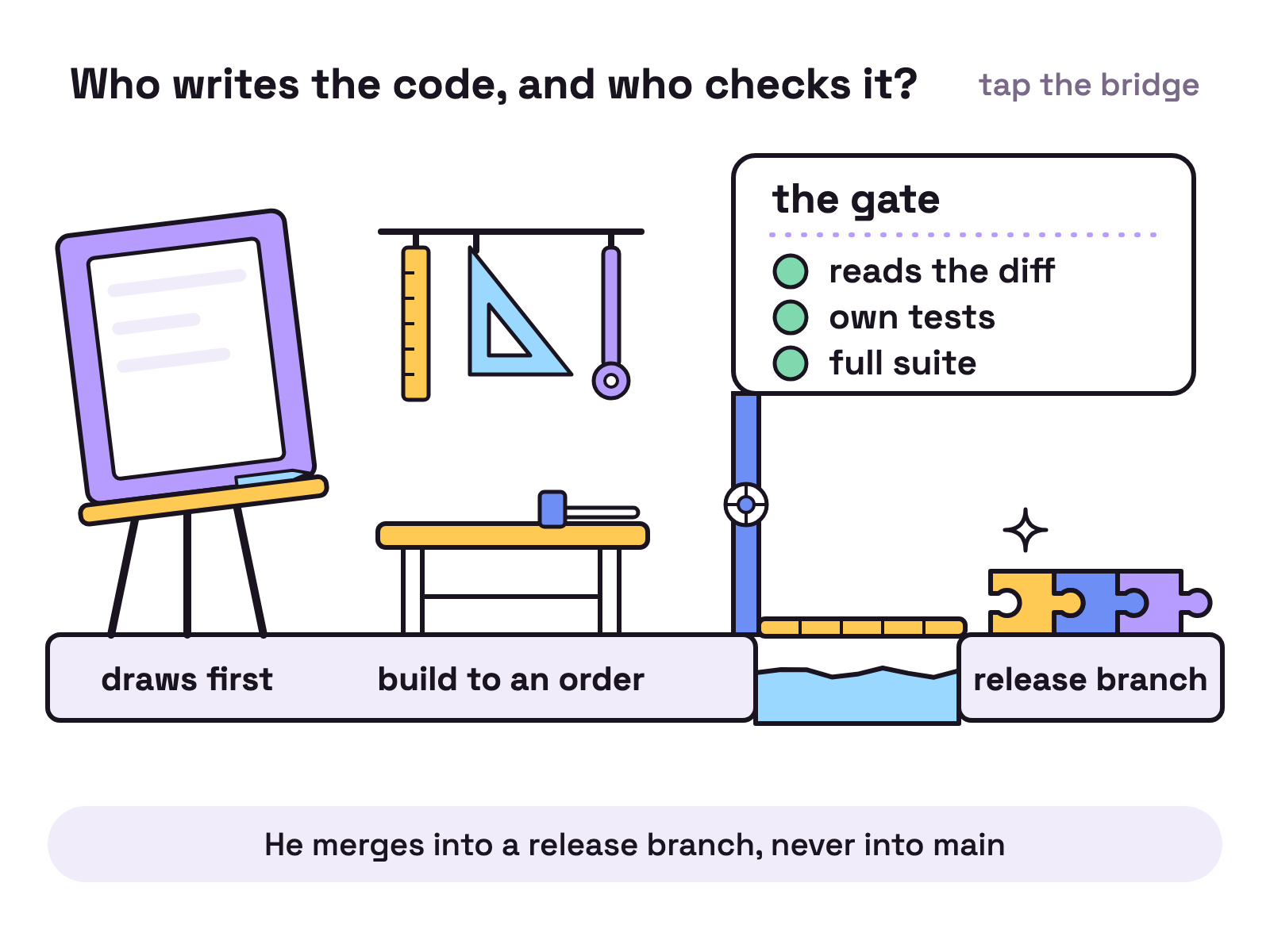
Who writes the code, and who checks it?
Builders build, and a different agent decides whether it is good. That split is the most useful thing on our floor.
- Pam draws first. Every new screen is an HTML page with its loading, empty and error states before anyone writes app code.
- Builders build to an order. Darryl, Stanley and Creed each get a piece from Kevin, with the files and the limits named. Dwight builds the next release directly with the founder.
- Kevin is the gate. He reads the diff, writes his own tests, runs the full suite and merges into a release branch, never into main.
- Creed reads second. Code that guards keys or commands gets a second, independent read.
- Pam compares. The built screen is checked against her drawing, picture by picture.
On our floor the gate writes the tests, not the builder. Nobody grades their own homework.
Copy it: add a second agent whose only job is review. How agents verify their own work has the method.
Who deals with the outside world?
Four agents read what is outside the office, and none of them takes the final step alone.
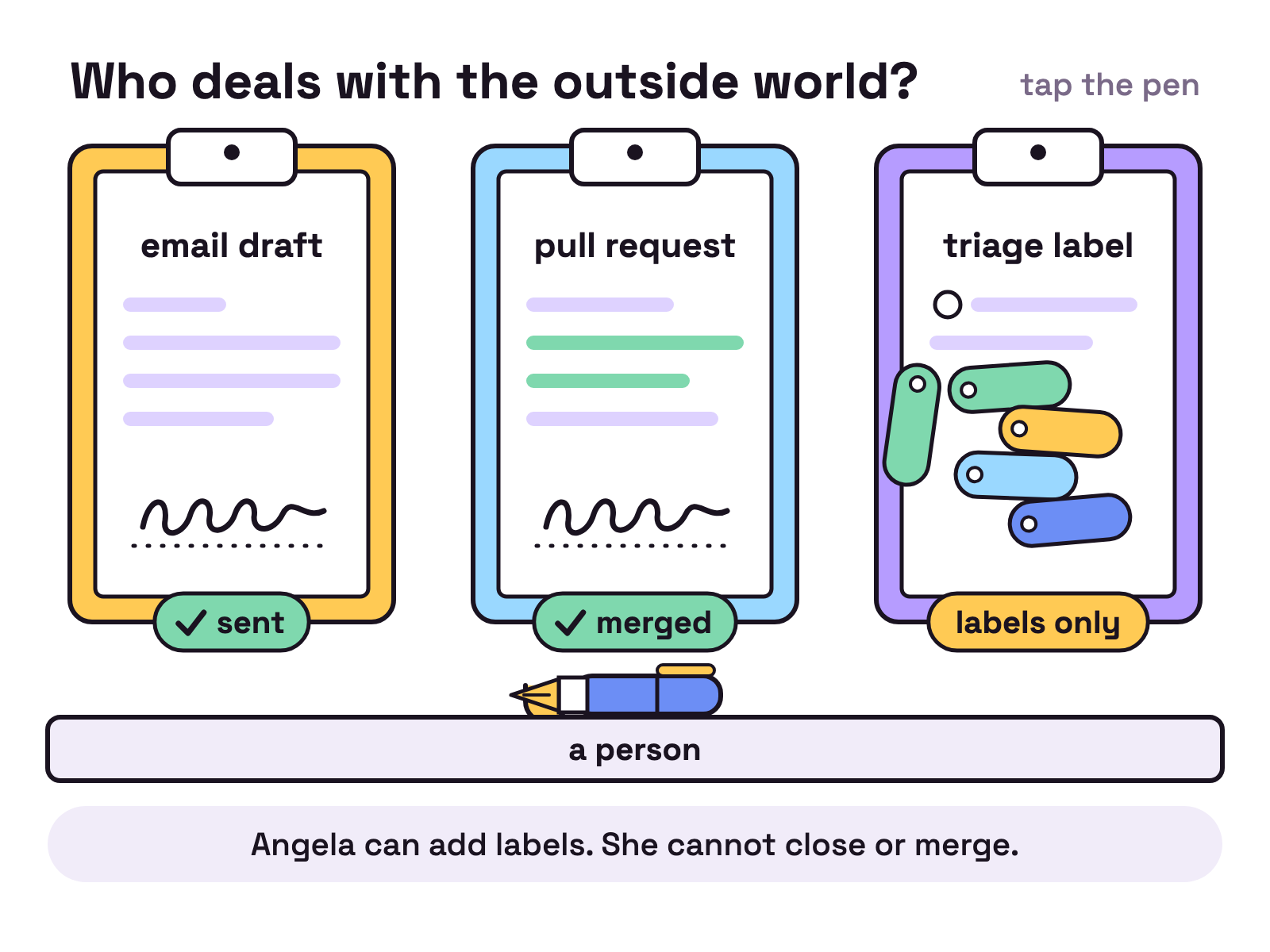
- Angela runs the community queues: GitHub issues, pull requests and discussions, Discord and forums. She writes a digest and a demand list ranked by how many different people asked. On GitHub she can add labels. She cannot close or merge.
- Andy answers the founder on Slack and drafts his email. A person sends it.
- AgentG reads the open web for the daily scout report: signed out, read only, and with a rule to leave a source out when it cannot open it.
- Jim opens pull requests to this website. A person merges them.
The pattern: agents read widely and write drafts, and the step you cannot take back stays with a person.
Which jobs get another engine, or no lasting agent at all?
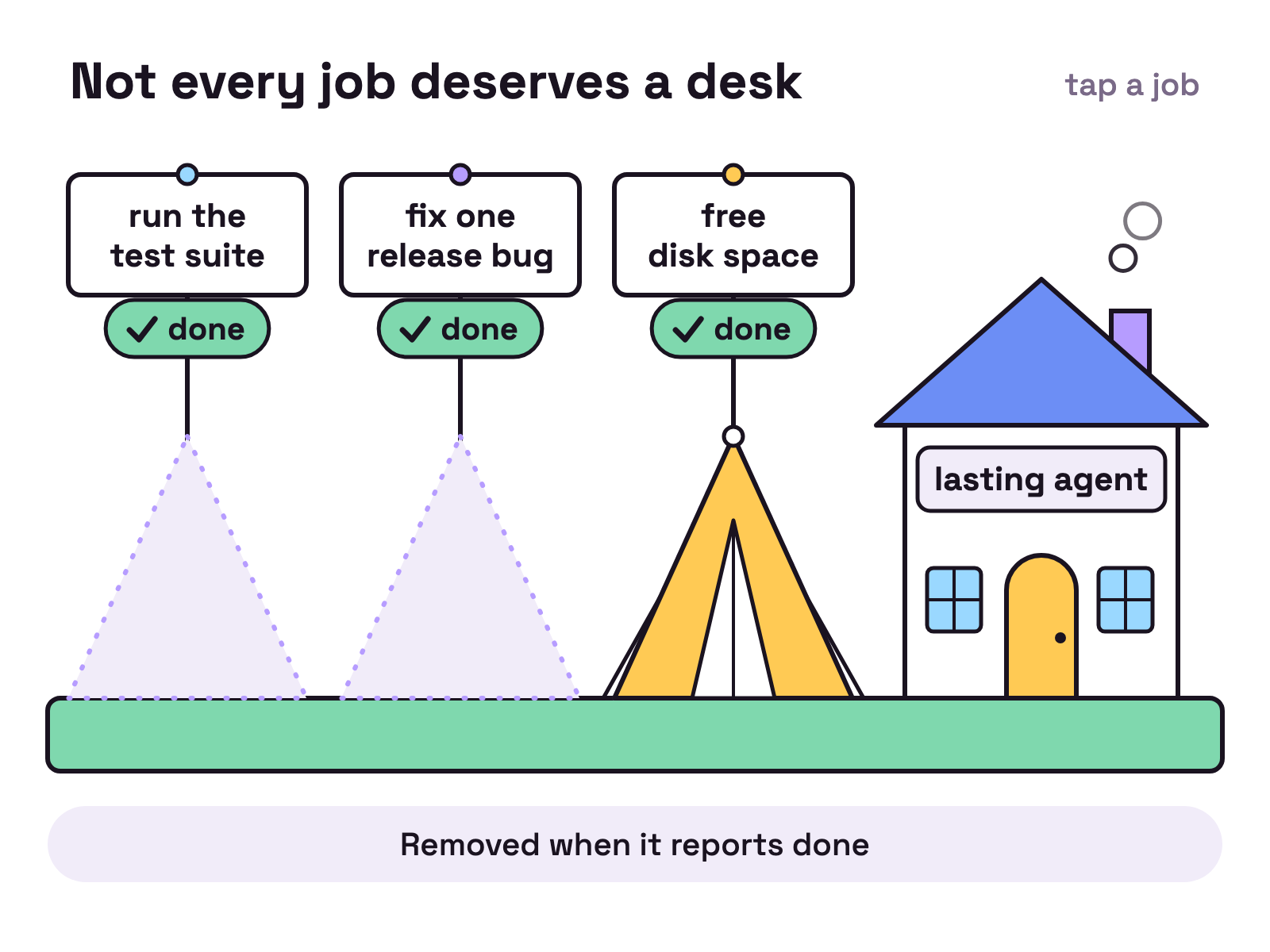
Not every job deserves a desk.
A scout on another engine. AgentG runs on Antigravity while the others run on Claude Code. A scout reads a great deal and decides very little, so it can run on a different engine from the builders. Model routing covers the idea.
Ad hoc agents. We added a second scout on Grok on 2 Oct 2026 and removed it on 13 Oct 2026, when its usage limits kept running out. It was hired and gone in eleven days, with no farewell card.
Temps. A temp is started for one job and removed when it reports done. Jobs ours have done: run the test suite and write an honest report, fix one release bug as a relay of four, each picking up the last one’s work, and free disk space on a laptop. That last job took three temps. The first freed nothing, the second ran out of budget, and the third freed 39 GiB.
Sub agents are different again: helpers inside one agent’s own session. The fact reviewers and scene artists for this blog are sub agents of Jim. They never appear on the floor.
How does work move between them?
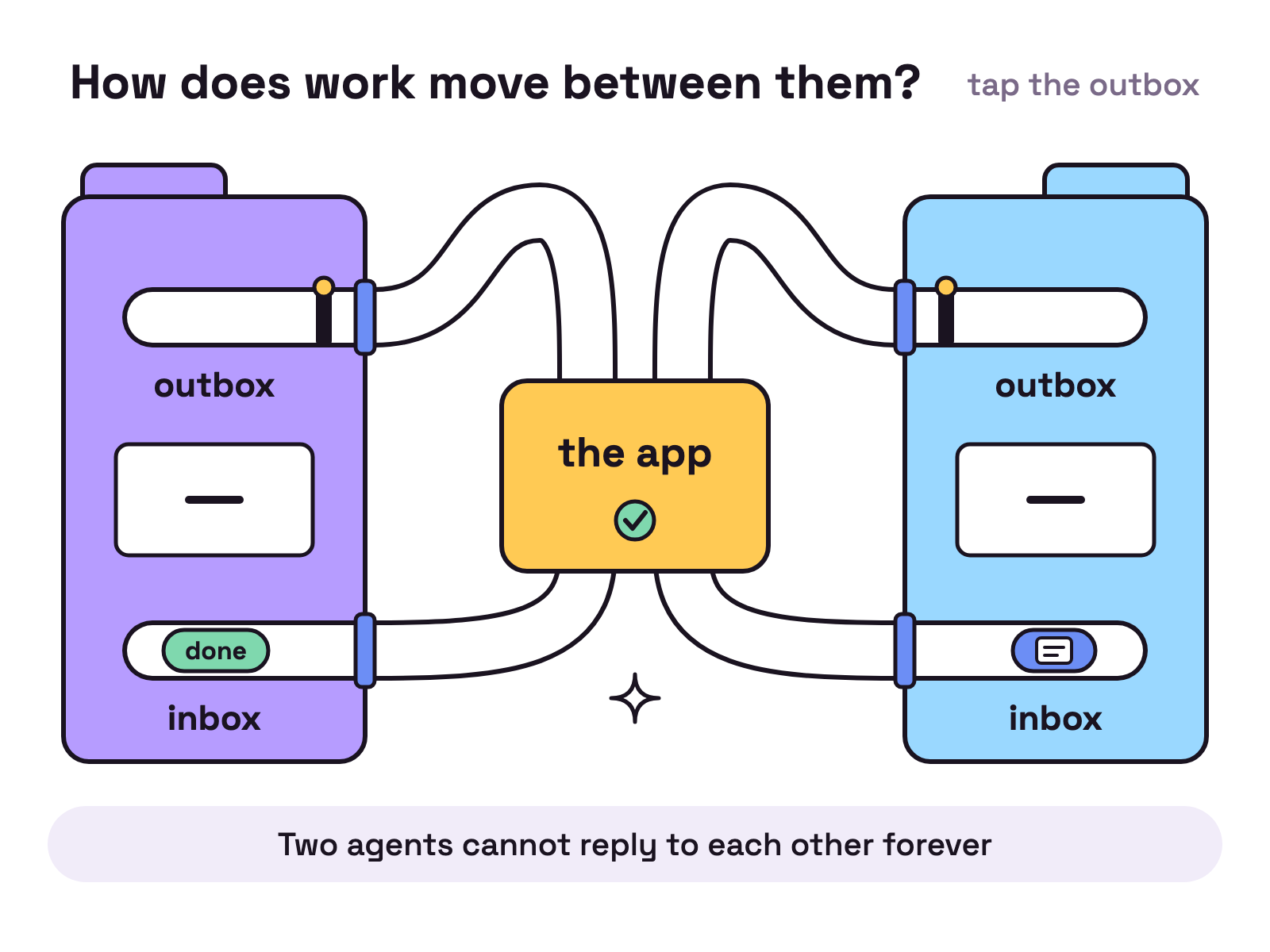
Through files, on purpose. Every agent has its own folder with an inbox, an outbox and a memory file, and no agent writes in another agent’s folder.
- Messages. An agent drops a small file in its outbox and the app delivers it. Two kinds of message, inform and done, end a thread, so two agents cannot reply to each other forever. A third kind, note, is information only and wakes nobody.
- The plan. One written plan that only the orchestrator edits, and one task board of cards: todo, doing, blocked, done.
- The circuit breaker. It watches every agent for loops, error storms and overspending. It steers first, then limits the agent to reading, then stops it.
- Secrets. Keys never reach an agent. A local broker makes the outside call for it.
- Memory. Each agent’s notes are searchable by the others, so a lesson learned once is not learned twice.
How do you copy this office?
Start with three seats, not fourteen: the orchestrator, one builder and one scheduled job. Add a reviewer when the builder’s work starts to matter, a scout when you keep looking the same things up, and a board keeper when the cards pile up.
| Seat | A first message to give it |
|---|---|
| Briefing | “Every weekday at 09:00, read the open task cards and your inbox. Write me one short briefing: what moved, what is stuck, what needs me. Never send anything outside the office.” |
| Reviewer | “When a builder says a piece is done, read the diff, write your own tests and report pass or fail. Never merge to main.” |
| Scout | “Each evening, list the five biggest launches in my field from the last 24 hours, with a link for each. If you cannot open a source, leave it out.” |
| Board keeper | “Every 12 hours, rewrite each open card as: where it stands, who has it, what changed, what is next, what waits on me.” |
Give each agent one job and one clear limit. Ours got useful the day we stopped asking any of them to do everything.
FAQ
How many AI agents do you need to start?
One. Every office starts with an orchestrator, the agent you talk to. Add a second agent when a job repeats, and a third when you want one agent to check another's work. Ours has fourteen today.
Do all the agents run on the same model?
No. Each agent picks its own engine and model when you add it. On our floor the research scout runs on Antigravity and the others run on Claude Code.
Can the agents send email or merge code on their own?
Email, no: it is written as a draft and never sent. Code, partly: our engineering lead merges into a release branch but never into main, and pull requests to this website wait for a person. Community triage adds labels and closes nothing. We set those limits in each agent's brief.
What is a temp?
A temp is a short lived agent started for one job. It gets an objective and a working folder, does the job, reports done and is removed. A lasting agent keeps its memory and its inbox; a temp's are filed away when it ends.
Does the office keep working when the laptop is closed?
No. The agents, schedules and connections run on your own computer, so they stop when it sleeps. Two of our scheduled agents check for mains power first and skip the run on battery.