GTA 6 Streaming Setup: Overlays, Rules and an AI Agent Crew Off Camera
How to stream GTA 6 from PS5 or Xbox, direct or through a capture card and OBS, plus overlays, the Rockstar, Twitch and YouTube rules, and agents off camera.
GTA 6 streaming works from your console’s own Broadcast button (PS5 to Twitch or YouTube, Xbox to Twitch) or from a capture card into OBS on a PC, and the story belongs inside a narrated playthrough, never in clips. Checked 19 Nov 2026.
Grand Theft Auto VI launches on November 19 on PlayStation 5 and Xbox Series X|S, per Rockstar’s Newswire, and tbreak reports (18 Nov 2026), citing Eurogamer and preliminary Streams Charts data, that GTA 6 streams had 6.38 million people watching at once across Twitch, YouTube and Kick at 12:30 UTC on 18 November. Do the weekly busywork by hand, or use Munder Difflin, free and open source: a desktop app that runs a team of AI agents for all kinds of knowledge work, coding included, on your own computer.
How do you stream GTA 6 from a PS5?
Press the create button, select Broadcast, pick a service, enter your broadcast information and select Go Live, per Sony’s help page, read 19 Nov 2026. You link “accounts such as YouTube or Twitch” the first time, and “Some streaming services require 2FA”. Settings > Captures and Broadcasts > Broadcasts sets resolution, mic and party audio, camera and chat overlays. Sony tells you twice on one page to warn your party that their voices go out live. Take the hint.
Can you stream GTA 6 from an Xbox?
Yes, to Twitch. Microsoft’s Xbox Wire post (23 Feb 2022) says to open “Capture and Share” in the guide, select “Live streaming”, link Twitch by QR code or URL, then select “Go live now”. Options cover audio levels, party chat, resolution and bitrate. It names only Twitch; take YouTube through a capture card.
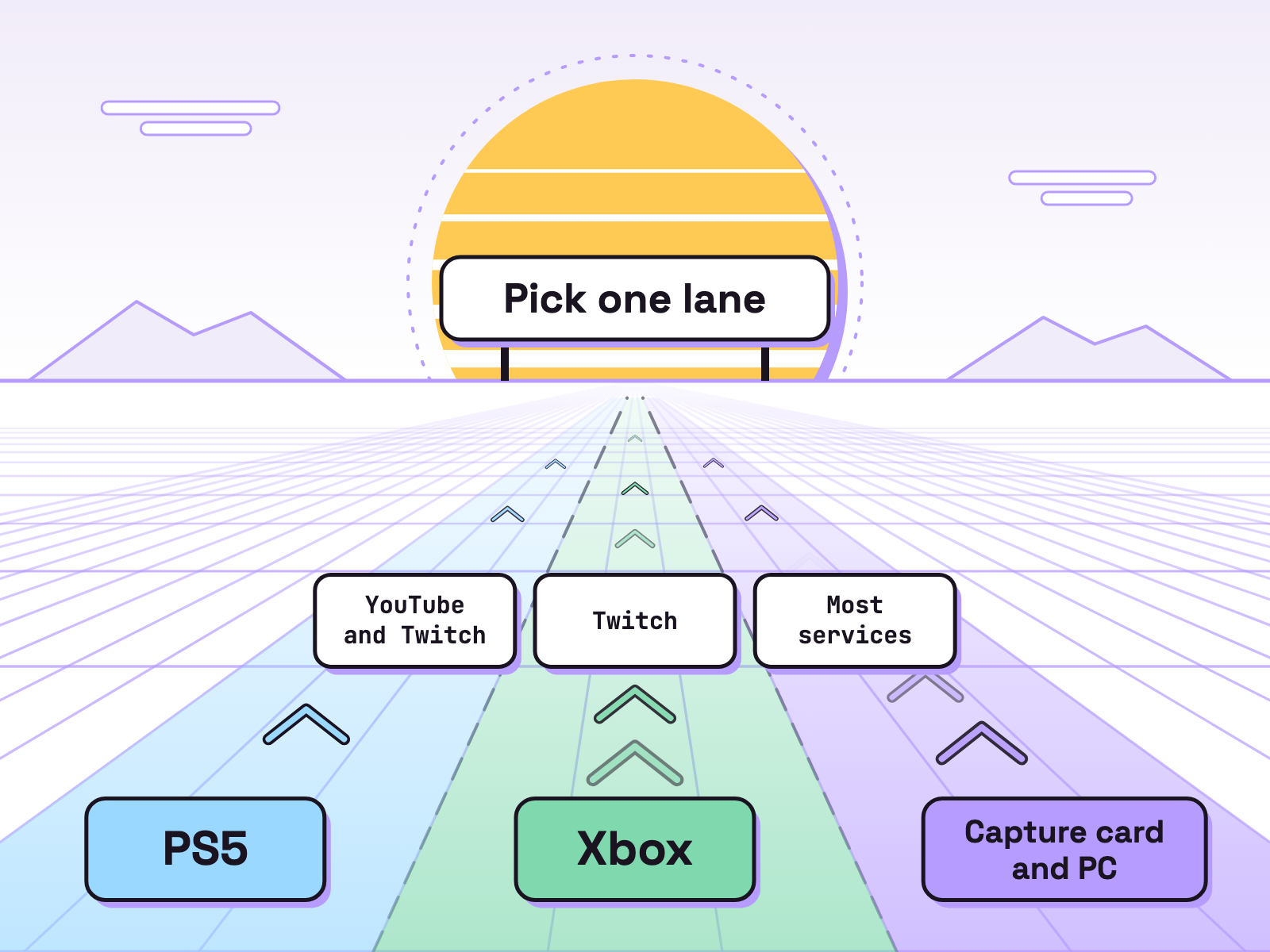
| Setup (as of 19 Nov 2026) | Goes live to | You need |
|---|---|---|
| PS5 Broadcast | YouTube or Twitch | a linked account, 2FA on some |
| Xbox guide | Twitch | a linked Twitch account |
| Capture card and PC | most services, through OBS | a card, two HDMI cables, OBS |
How does a capture card setup work?
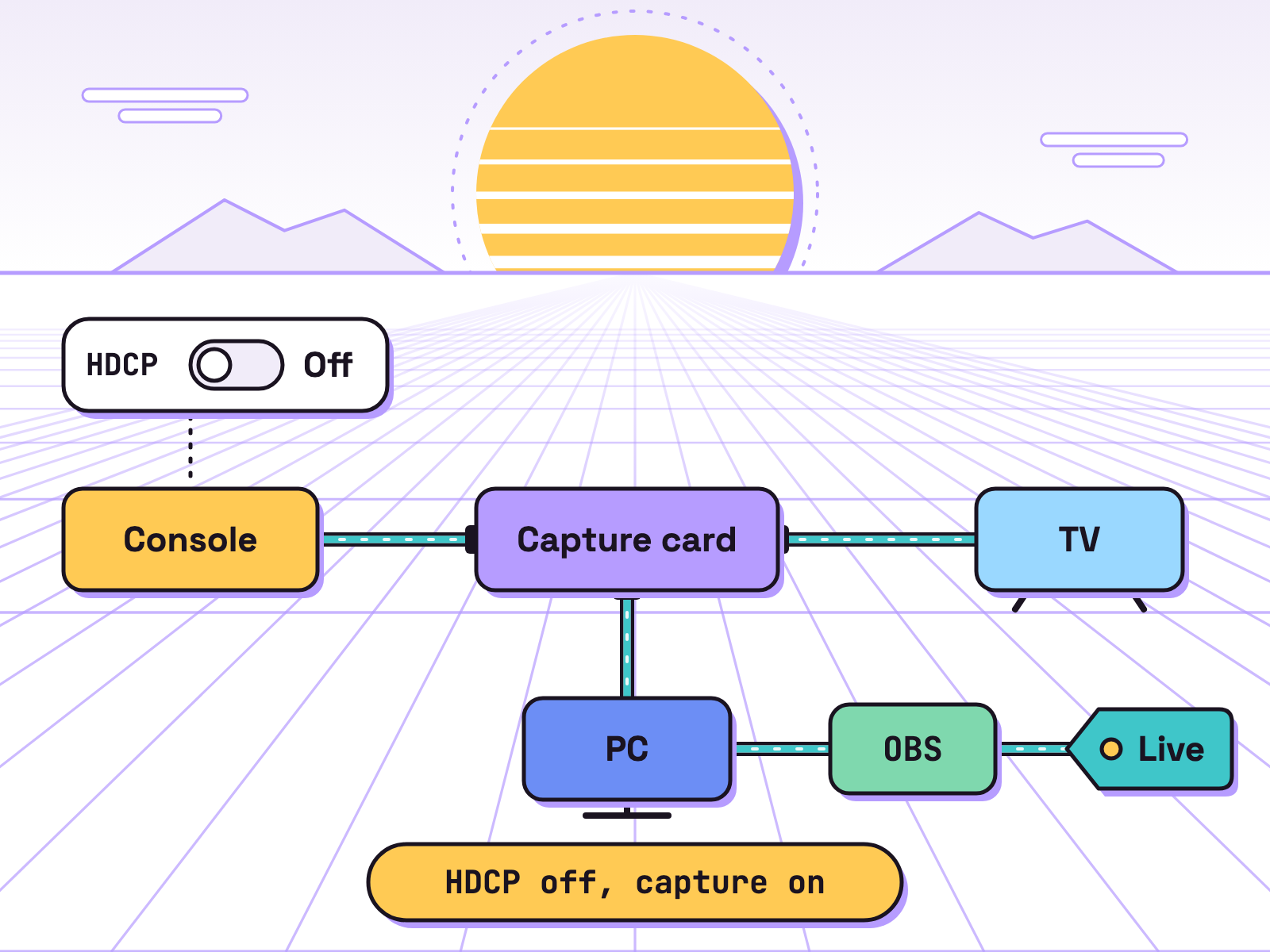
A capture card sits between console and TV and copies the picture to your PC, where OBS adds your overlay and streams it. Elgato’s PS5 guide, read 19 Nov 2026, goes in this order:
- PS5 plugged straight into the TV: Settings > System > HDMI, turn HDCP off.
- PS5 HDMI OUT to the card’s HDMI IN.
- Card HDMI OUT to your TV.
- Card to computer by USB.
- In OBS Studio (free and open source), add a Video Capture Device source and pick the card.
HDCP is copy protection. A capture card’s whole job is copying. Hence step 1. The PC only streams: no PC version of GTA 6 has been announced. YouTube’s encoder page (read 19 Nov 2026) recommends 17 Mbps for 1080p at 60fps in H.264, 6 Mbps minimum.
What should a GTA 6 stream overlay have?
A camera frame, chat, an alert spot and three holding screens (Starting soon, Be right back, Ending), all in your own design. Our view: keep Rockstar’s logo, key art and trailer frames out; their art is theirs. OBS hotkeys switch scenes, so each holding screen is one key.
Mind the crop. YouTube’s live streaming help page says Live Control Room streams go out in 16:9 and 9:16 at once by default, and the vertical one “is a center crop”. A camera in the far corner vanishes on phones; move it inward.
Streamer mode? Rockstar’s GTA VI site names none as of 19 Nov 2026. Sony points you to “the privacy settings in your linked accounts”.
What are the GTA 6 streaming rules?
Three rulebooks: Rockstar’s, then Twitch’s or YouTube’s.
Rockstar. tbreak and Metro reported on 4 Nov 2026 that Rockstar’s video policy covers GTA 6: endings, edited cutscene compilations and isolated cinematics come down, while cutscenes inside a longer, narrated playthrough stay. Our view: a live story stream with your commentary fits; the risk is afterwards. No ending or cutscene clips, no plot in titles or thumbnails. tbreak adds that the policy frames the permission “around non-commercial use” and, citing Prepublish’s reading, that Rockstar can take material down “at any time” on a case by case basis. Read Rockstar’s policy page before you earn from footage. This is not legal advice.
Twitch. The Affiliate page lists 25 followers, 4 hours streamed, 4 stream days and an average of 3 viewers “over any 4 stream days in the last 30 days”, plus 2FA. A payout needs at least “$50 with most payout methods” (read 19 Nov 2026). Twitch’s blog (13 May 2026): “streamers must earn Partner or Affiliate status to receive a payout.”
YouTube. YouTube Help requires a verified channel, no live streaming restrictions in the past 90 days and an age of at least 16. The mobile page warns you “may need to wait 24 hours” before your first stream, so enable it a day early.
What does the off camera crew do?
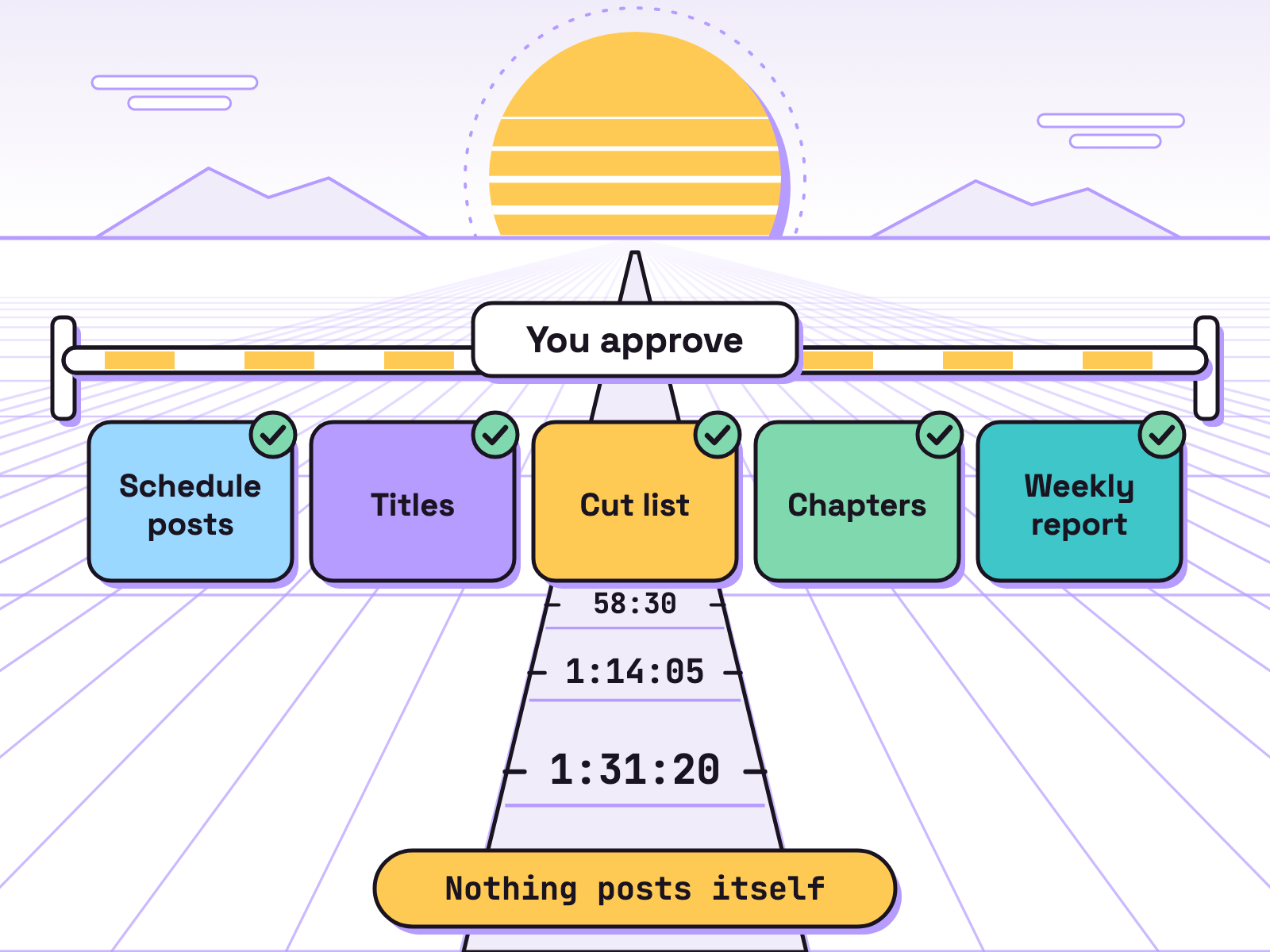
Five agents draft the weekly busywork from your stream notes; nothing goes out until you approve and post it. Jot a time and a few words live (“0:42:10 chat poll”). Then the crew drafts:
- Schedule posts: upcoming stream times, one per platform.
- Titles: three per stream, no plot.
- Highlight cut list: start and end times from your notes, cutscenes dropped.
- VOD chapters: in YouTube’s chapter format, first at 00:00, at least three, ascending, each at least 10 seconds.
- Weekly report: the numbers you paste in, against Twitch’s Affiliate list.
The crew never goes live or posts. You do.
In Munder Difflin, the README lists “Kanban tasks with dependencies, scheduled missions + heartbeat”, so chapters wait for the cut list and a schedule starts the report each Monday. Agents can “message a channel” in Slack for your approval. harnessmd.com says “Close your laptop and a Cloud Office keeps going”, and “Pro adds the Pro workspace: an orchestrator that runs your other agents, a task board, an inbox, automations”; “The free plan lets you use Pro features up to a monthly allowance of work tokens.” Start with your first hour.
Next: more GTA 6 money ideas, the creator kit, clipping campaigns and the GTA 6 tracker.
FAQ
Can you stream GTA 6 on PS5 without a PC?
Yes. Sony's help page says to press the create button, select Broadcast, pick a service such as YouTube or Twitch, enter your broadcast information and select Go Live. You link the account the first time, and some services require 2FA.
Can you stream GTA 6 from an Xbox to YouTube?
Microsoft's Xbox Wire post describes live streaming to Twitch from the guide's Capture and Share tab. It does not name YouTube, so for YouTube use a capture card into OBS on a PC.
Is there a GTA 6 streamer mode?
Rockstar's GTA VI site, read on 19 Nov 2026, names none. Your controls are the console's and the service's: on PS5 you choose mic and party audio, camera and chat overlays, and Sony says to set privacy in your linked accounts.
Can I stream the GTA 6 story?
tbreak and Metro reported on 4 Nov 2026 that cutscenes inside a longer, narrated playthrough are allowed, while endings, cutscene compilations and isolated cinematics are removed. So stream the story with your commentary, and do not cut the ending or cutscenes into clips afterwards. Read Rockstar's policy page yourself.
What do I need for Twitch Affiliate?
Twitch's help page lists 25 followers, 4 hours streamed, 4 different stream days and an average of 3 viewers over any 4 stream days in the last 30 days. You also need 2FA, and the invite arrives by email and in your Creator Dashboard.