Codex Max Plan? What ChatGPT Pro Gives You in Codex (Oct 2026)
There is no Codex Max plan. ChatGPT Pro costs $100, $200 or $500 a month (Oct 2026) with no five hour limit: how the weekly limit works and how to stretch it.

OpenAI has no plan called Codex Max. The plan people mean is ChatGPT Pro, which comes at $100, $200 or $500 a month (OpenAI pricing, checked 21 Oct 2026). To make the most of it, run the smallest model and effort that works, keep one chat per task, and check /status before big jobs.
Three things muddy the name: Anthropic’s Claude Max plan, OpenAI’s older GPT-5.1-Codex-Max model, and Codex’s Max reasoning effort, one of the settings between Light and Ultra (OpenAI, Models). None is a Codex plan. Still choosing between tools? Our Codex CLI vs Claude Code comparison covers that. The habits in managing several Claude Code sessions, like one scope per session, carry straight over to Codex.
You can apply every tip below by hand, or use Munder Difflin, which is free and open source: a desktop app that runs a team of coding agents such as Claude Code, Codex and Gemini CLI on your own computer. Each Codex agent signs in with your own Codex login, and you pick its model per agent, from Luna for routine edits to GPT-6.1 Sol for the hard bug. Our mixed engine office guide shows a layout, and the install guide covers setup.
Is there a Codex max plan?
No, but ChatGPT Pro is the closest thing. OpenAI’s Codex pricing page, checked on 21 Oct 2026, lists Pro as “Plans at $100, $200, or $500 USD per month”, with Ultrafast mode on Pro $500.
| Plan (21 Oct 2026) | Price a month | Five hour limit | Notes |
|---|---|---|---|
| Plus | $20 | Yes | The page’s usage estimates are for Plus |
| Pro $100 | $100 | No | Everything in Plus |
| Pro $200 | $200 | No | Everything in Plus |
| Pro $500 | $500 | No | Adds Ultrafast mode |
The page links to a comparison of Pro plans but gives no Pro message estimates, so the usage dashboard is the only place to see your own pace.
Does Codex have weekly limits?
They may; on Pro right now the weekly limit is the one that matters. OpenAI’s pricing page says local messages and cloud chats share one allowance and that weekly limits may also apply. The same pool covers the Codex CLI, the IDE extension, the ChatGPT desktop app and ChatGPT Work.
The same page says “Pro plans currently have no five-hour limit,” while its estimates for Plus are per five hour period. On Pro, nothing refills after five hours, so a long unattended run keeps drawing down the whole week. Budget by the week, not by the sitting.
Do cloud tasks use more than local ones?
Often, yes. OpenAI’s pricing page says “Cloud tasks may use more of your allowance than local messages.” Local work in the CLI or IDE runs whichever model you pick, including the cheaper GPT-6 Luna. Code review follows the same split: reviews Codex runs through GitHub count as Code Review usage, while a local /review counts toward your general limits.
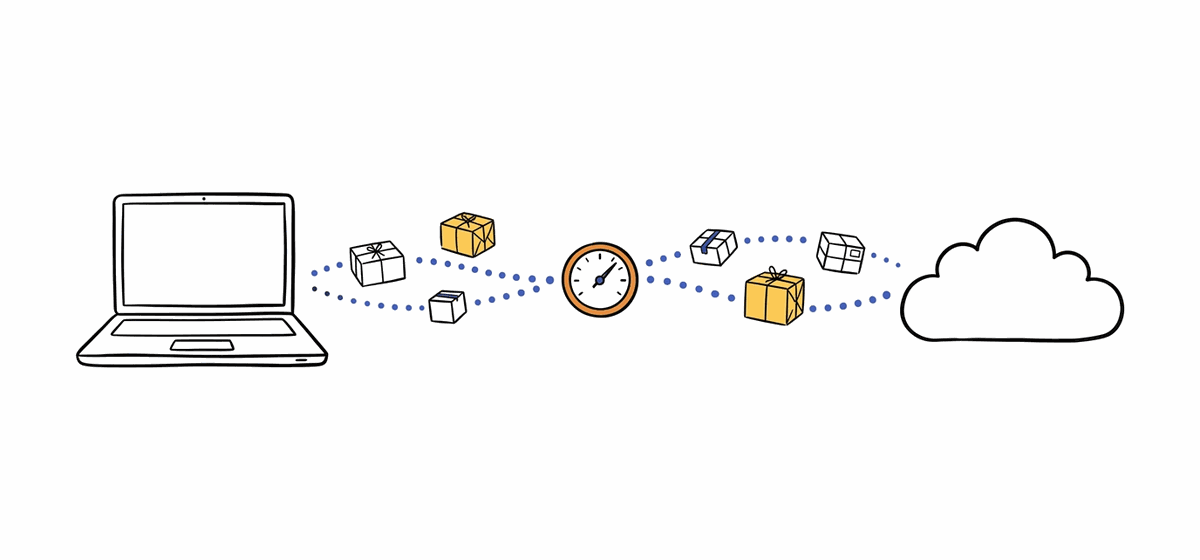
So send work to the cloud because you want it off your laptop and running in parallel, not to save usage. From the terminal, codex cloud exec needs an environment id and makes one attempt unless you ask for more. Checked on 14 Sep 2026 (output trimmed):
$ codex --version
codex-cli 0.153.4
$ codex cloud exec --help
Usage: codex cloud exec [OPTIONS] --env <ENV_ID> [QUERY]
      --attempts <ATTEMPTS>
          Number of assistant attempts (best-of-N)
          [default: 1]
Leave --attempts at 1 unless you want to compare versions, since each attempt is its own run.
How do I check my Codex usage?
Type /status in an active Codex CLI session, or open the usage dashboard at chatgpt.com/codex/settings/usage. OpenAI’s pricing page points to both and suggests checking the dashboard every week or two to learn your pace. In the CLI, /statusline can pin rate limits to the footer so you see them without asking.
If you run out mid task, Codex keeps working on that turn, subject to fair use, and Plus and Pro users can buy credits rather than upgrade. Better still, follow OpenAI’s advice and switch to a smaller model while you are approaching the limit.
Which model makes Codex usage last longest?
GPT-6 Luna, by a wide margin. OpenAI’s estimates for Plus, checked 21 Oct 2026, are 5 to 45 local messages per five hours on GPT-6 Astra, 15 to 160 on GPT-6.1 Sol, 15 to 150 on GPT-6 Sol and 350 to 3,000 on GPT-6 Luna. OpenAI publishes no Pro estimates, but the ratio between models is the useful part: Luna goes roughly twenty times as far as Sol. The models page says to “Start with the default effort and increase it when the task needs deeper planning or analysis,” and that Ultra, the top effort, uses subagents.
A workable split, close to OpenAI’s own advice: Luna for focused, repeatable edits, and GPT-6.1 Sol, which OpenAI calls “near-Astra performance for complex work at a lower cost than Astra”, for the bug that has beaten you twice. Switch with /model inside a chat, or pass codex exec -m gpt-6-luna for scripted runs. Fast mode is the quiet drain: it uses included usage at 2.5x the Standard rate, and Ultrafast on Pro $500 at 8x (OpenAI pricing, 21 Oct 2026). If an old config.toml still pins gpt-5.5, change it to gpt-6.1-sol: GPT-5.5 left Codex for ChatGPT sign ins on 14 Oct 2026.

How do I reduce Codex token usage?
Cut what every turn has to carry. Your prompt, files, chat history and tool results all spend tokens, so these habits pay off on every message:
- Keep
AGENTS.mdshort. Codex reads it before any work. Move folder specific rules into nestedAGENTS.mdfiles, as OpenAI’s pricing page suggests. - Turn off MCP servers you are not using. OpenAI says each one adds context to your messages.
- Use one chat per task. Start the next task with
/newinstead of stacking it onto a long chat, and use/compactwhen a single task runs long. OpenAI’s best practices guide warns that one chat for a whole project bloats context. - Stop retry loops early. If a run misses, interrupt it, fix the prompt or add the missing file, then rerun. OpenAI’s Astra usage guide notes that raising effort cannot supply information or access the model never had.
- Point reviews at a cheaper model. Set
review_modelinconfig.tomlso/reviewdoes not inherit an expensive session model.
Can I run several Codex agents at once?
Yes, and that is where a Pro allowance goes fastest. Worktrees, cloud chats and subagents all run in parallel from the same pool, and OpenAI’s docs say subagent runs use more tokens than a single agent. Go parallel only when tasks touch separate files and a cheaper model suffices. The multi-agent cost playbook covers model tiering across a fleet.
FAQ
Which ChatGPT Pro plans include Codex?
On OpenAI's Codex pricing page on 21 Oct 2026, ChatGPT Pro comes in plans at $100, $200 or $500 a month, and all of them include Codex. Pro $500 adds Ultrafast mode. The page lists usage estimates for Plus and Standard Business only, and says Pro plans currently have no five hour limit.
Is there a five hour limit on ChatGPT Pro for Codex?
No. OpenAI's Codex pricing page on 21 Oct 2026 says Pro plans currently have no five hour limit, while its estimates for Plus are per five hour period. Weekly limits may also apply, so check the usage dashboard for your reset time.
Does Codex code review count against my usage limit?
It depends on where the review runs. OpenAI's pricing page says reviews Codex runs through GitHub, such as tagging @codex on a pull request, count as Code Review usage, while reviews run locally or outside GitHub count toward your general limits. For local reviews, set review_model in config.toml to a smaller model.
What happens when I hit my Codex usage limit in the middle of a task?
Codex keeps working on the turn already in progress, subject to fair use limits, per OpenAI's pricing page checked 21 Oct 2026. After that, Plus and Pro users can buy credits without upgrading, use an API key at API rates, or wait for the reset shown on the usage page.
Does switching to a smaller model give me my Codex limit back?
No. OpenAI's help article on managing usage with GPT-6 Astra says switching models does not restore allowance in a shared usage pool. A smaller model only makes what is left go further, so switch while you are approaching the limit, not after you hit it.