How to Use Claude Code: Setup, First Task and the Commands That Matter
How to use Claude Code, checked 5 Oct 2026: install it, sign in, run a first task, then the commands, shortcuts and habits a beginner needs.
To use Claude Code, install it with one command, run claude inside a project folder, log in through your browser, and type what you want in plain English. It reads your code, edits files and runs commands. You need a paid Claude plan or a Console account. Checked 5 Oct 2026.
You can do all of this by hand, or use Munder Difflin, free and open source, a desktop app that runs a team of coding agents such as Claude Code, Codex and Gemini CLI on your own computer. It’s for the day one Claude Code session is not enough. The install guide covers that setup. This post is the single session path, and it sits with the rest of our guides.
What do you need before you install Claude Code?
You need a supported computer and a paid account. Anthropic’s setup page lists macOS 13.0 or later, Windows 10 1809 or later, Ubuntu 20.04, Debian 10 or Alpine Linux 3.19 and up, with 4 GB of RAM or more and an internet connection.
On accounts, the same page says Claude Code requires a Pro, Max, Team, Enterprise or Console account, and that the free claude.ai plan does not include it. Our Claude Code cost breakdown covers which plan fits.
How do you set up Claude Code?
Run the native installer, check the version, then start claude in a project and log in. These are the commands from Anthropic’s quickstart, read on 5 Oct 2026.
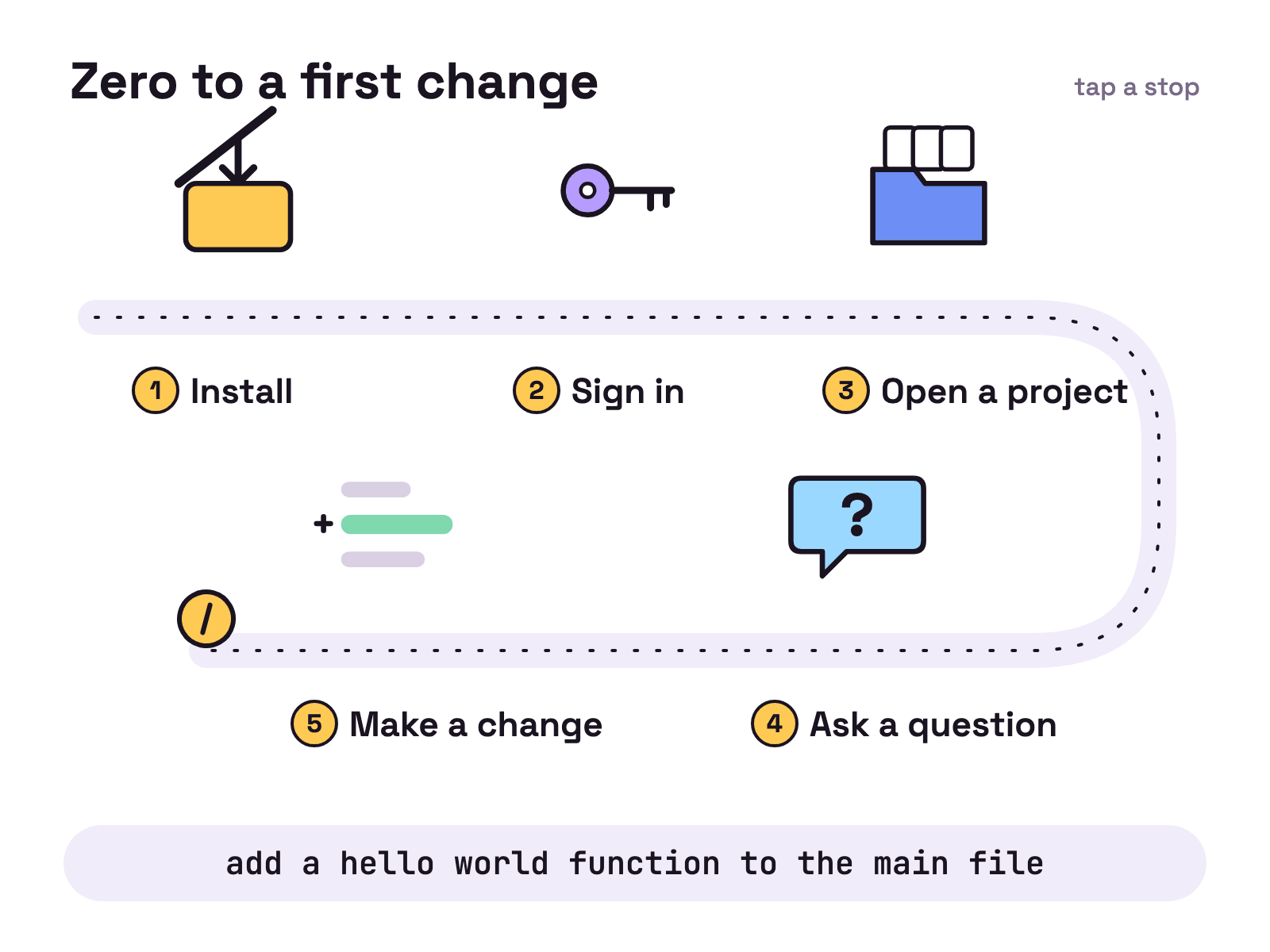
- Install. On macOS, Linux or WSL:
curl -fsSL https://claude.ai/install.sh | bashOn Windows PowerShell:
irm https://claude.ai/install.ps1 | iexThat line is for PowerShell; the quickstart has a separate one for CMD and recommends Git for Windows. Native installs update themselves in the background. brew install --cask claude-code and winget install Anthropic.ClaudeCode also work, but those two don’t auto-update.
- Check it. Open a new terminal window and run:
claude --versionIt prints a version number followed by (Claude Code). The latest release on GitHub today is v2.1.289, published 3 Oct 2026 (UTC). Homebrew can lag behind it. If your shell says claude isn’t found, the install folder isn’t on your PATH yet: Anthropic’s install troubleshooting page has the fix.
- Sign in. Start a session and follow the browser prompts. Your credentials are stored, so this happens once.
/loginswitches accounts later, and/exitleaves the session.
claude- Open a project. Claude Code works in the folder you start it from:
cd /path/to/your/project
claude- Ask before you change anything. Type
what does this project do?and read the answer. You don’t add files by hand: the quickstart says Claude Code reads your project files as needed.
What should your first task in Claude Code be?
Make it a small change you can check by eye, such as the quickstart’s own example:
add a hello world function to the main fileClaude Code finds the file and shows you the change. Whether it asks first depends on the permission mode. The quickstart says that on current versions auto mode is the built-in starting mode for interactive terminal sessions, so a classifier reviews actions instead of you. If it asks before making the change, select Yes. Press Shift+Tab to switch modes at any time. Why the prompts appear, and how to tune them, is in why Claude Code keeps asking for permission.
Then run /init. It generates a starter CLAUDE.md, the file Claude reads at the start of every conversation. Put build commands, code style and workflow rules in it. The memory docs say to target under 200 lines per file. It’s a memo, not the employee handbook.
How do you write a prompt Claude Code can act on?
Name the symptom, the likely location and what fixed looks like. That advice, and the example below, come from Anthropic’s best practices page, which puts it this way: “The more precise your instructions, the fewer corrections you’ll need.”
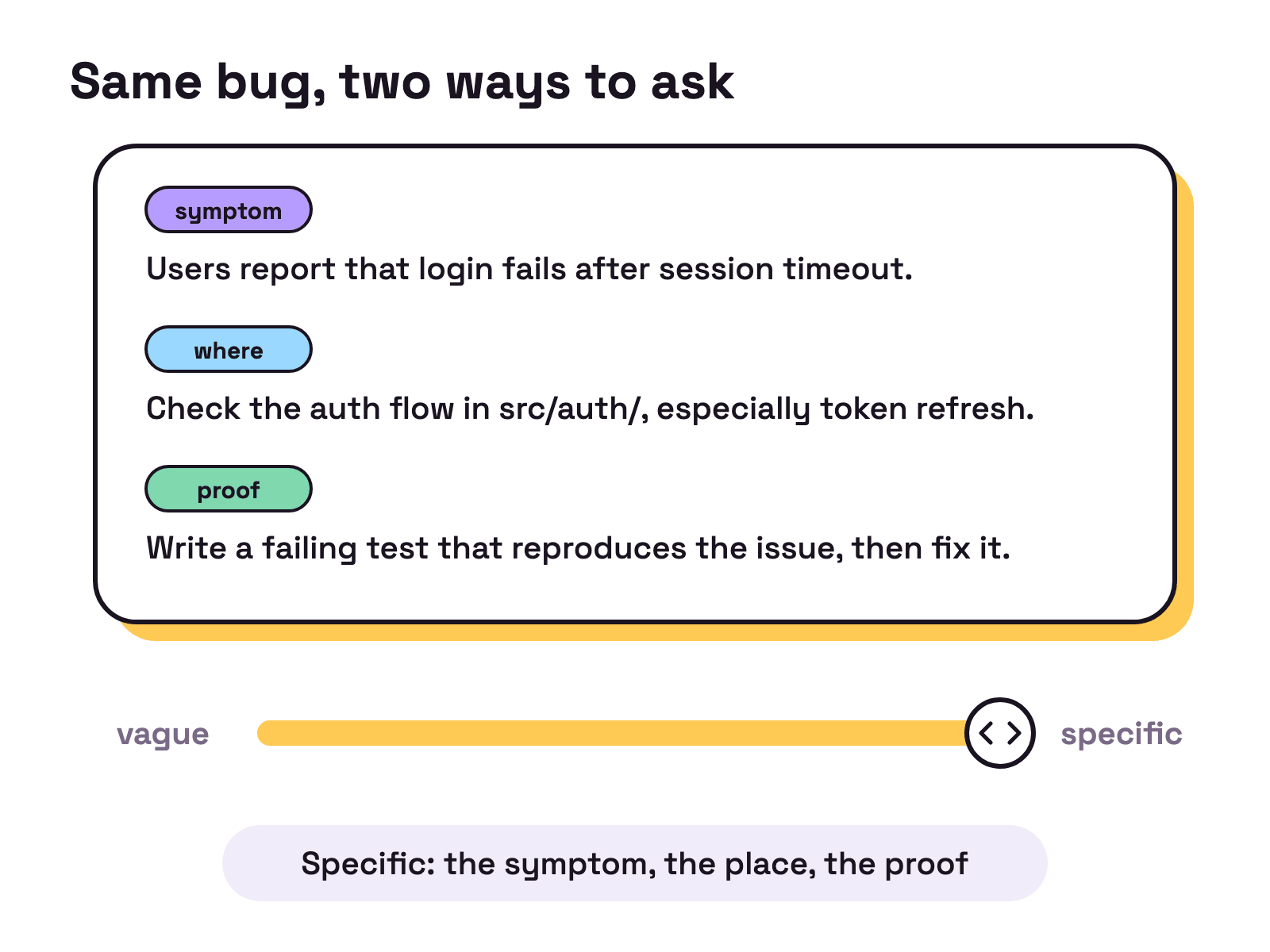
The second half matters as much as the first. Give Claude a check it can run (a test, a build, a linter) and it does the work, runs the check and iterates until it passes. Without one, in the docs’ words, “you become the verification loop”. Use @ to point at a file by path.
Which Claude Code commands and shortcuts are worth knowing?
About a dozen cover daily use. Type / to see the commands and skills available to you.
| Command or key (checked 5 Oct 2026) | What it does |
|---|---|
/help |
Shows help and the available commands |
/clear |
Starts a new conversation with empty context |
/compact |
Frees up context by summarizing the conversation so far |
/init |
Sets the project up with a CLAUDE.md guide |
/context |
Shows current context usage as a colored grid |
/usage |
Shows session cost and plan usage limits |
/resume |
Reopens an earlier conversation |
Esc |
Stops Claude mid turn; it keeps the work done so far |
Esc twice on an empty prompt, or /rewind |
Opens the rewind menu to restore code or conversation |
Shift+Tab |
Cycles permission modes |
! at the start of a line |
Runs a shell command and adds its output to the session |
claude -c |
Continues the most recent conversation in this directory |
Sources: the commands reference and interactive mode pages.
The working loop: explore, plan, implement, commit
Anthropic’s recommended workflow has four phases, and it exists to stop Claude solving the wrong problem.
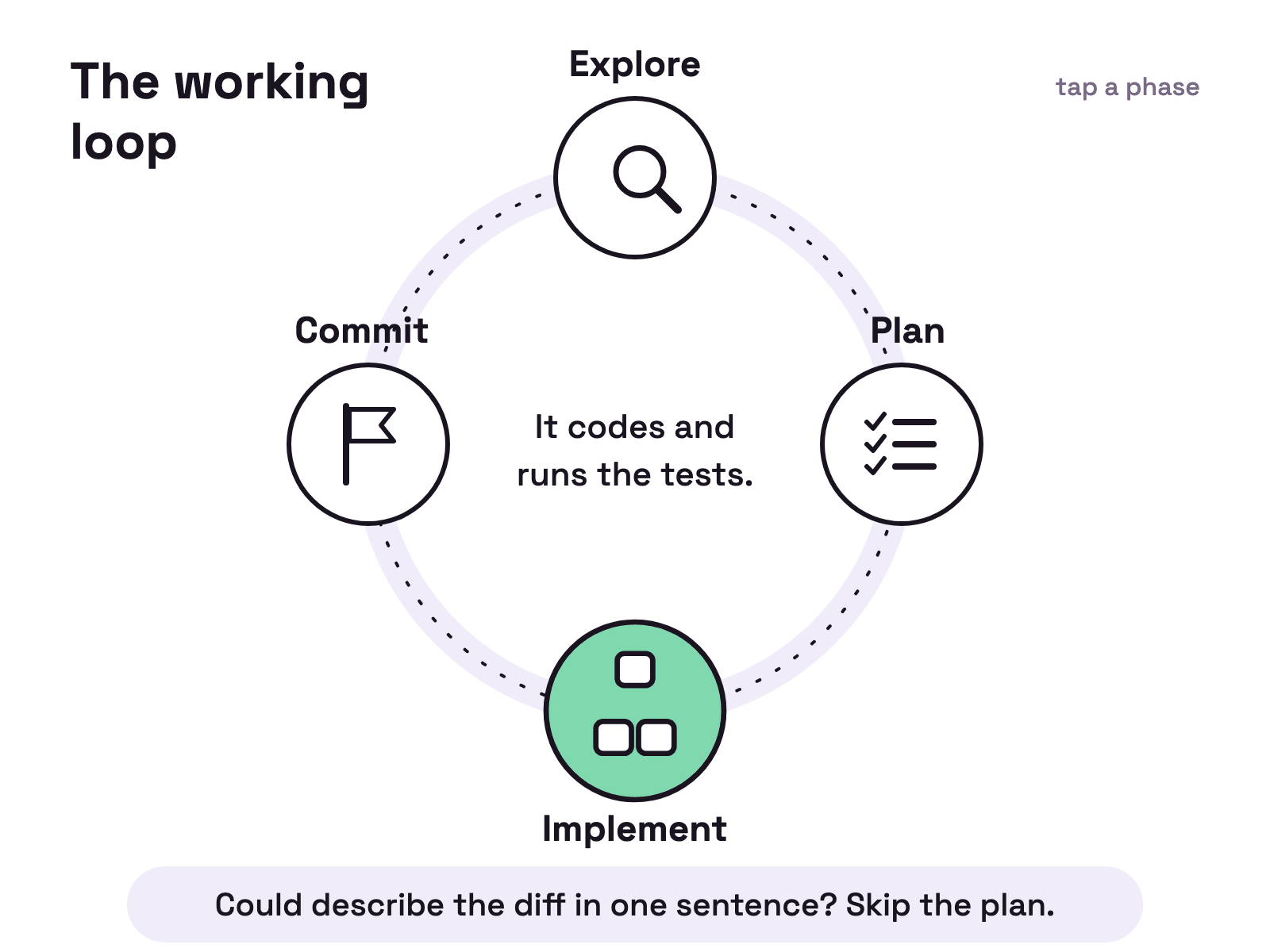
Press Shift+Tab until the status bar shows plan mode, and Claude reads files and answers questions without making changes. Ask for a plan, approve it, let it implement and run the tests, then ask it to commit. The docs add a limit: “If you could describe the diff in one sentence, skip the plan.” Our plan mode guide has the details.
Common mistakes
In our experience, most beginner trouble is a full context window. Everything Claude reads and every command output lands in it, and the best practices page says performance degrades as it fills.
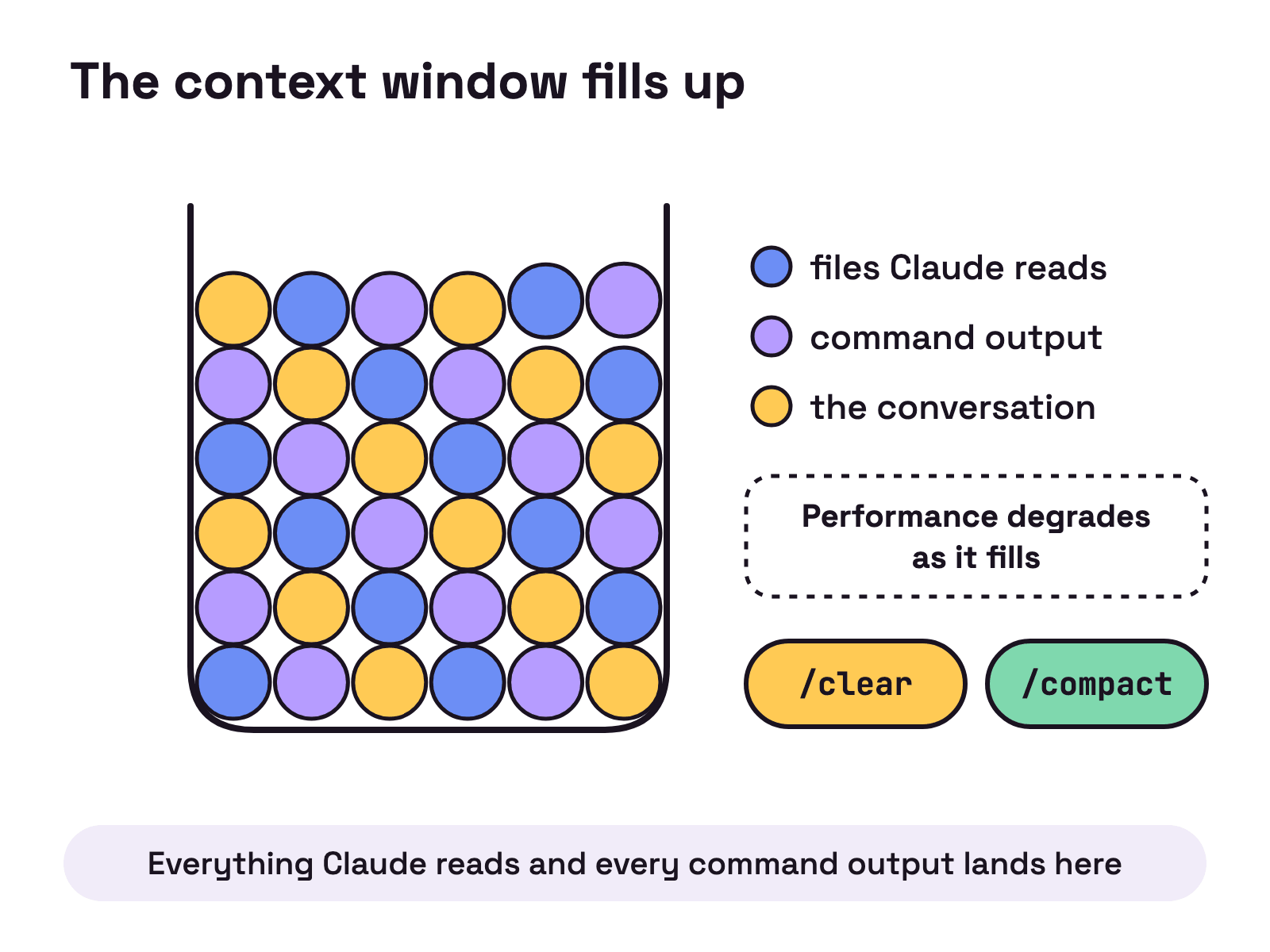
- One session for everything. Run
/clearbetween unrelated tasks. - Correcting the same thing a third time. After two failed corrections,
/clearand write a better first prompt. - A bloated
CLAUDE.md. Too long, and important rules get lost in the noise. Prune it. - Shipping what you can’t verify. Give it tests, scripts or screenshots.
- Treating rewind as version control. Checkpoints only track edits made through Claude’s file editing tools. Commit first.
Where to go next
Once the basics feel boring, pick one:
- Hooks, for scripts that must run every time.
- Adding an MCP server, to connect outside tools.
- Subagents, to keep research out of your main context.
- Managing multiple Claude Code sessions, for when one terminal stops being enough.
FAQ
Is Claude Code free to use?
No. Anthropic's setup docs, checked 5 Oct 2026, say Claude Code requires a Pro, Max, Team, Enterprise or Console account, and that the free claude.ai plan does not include Claude Code access. Anthropic's pricing page says Claude Code is included in all paid plans and shares their usage limits.
Do I need Node.js to install Claude Code?
Only for the npm route: the setup docs, checked 5 Oct 2026, say the npm package requires Node.js 22 or later. The install Anthropic recommends is the native installer, one curl command on macOS, Linux and WSL or one PowerShell command on Windows, and it updates itself in the background. Homebrew and WinGet installs do not auto-update.
How do I start Claude Code in a project?
Open a terminal, cd into the project folder and run claude. The first run asks you to log in through your browser. After that, type a question such as what does this project do? and Claude Code reads the files it needs.
What is `CLAUDE.md` and do I need one?
It is a file Claude reads at the start of every conversation, used for build commands, code style and workflow rules. You don't need one to start, but running /init generates a starter file from your project. Anthropic's memory docs suggest keeping each file under 200 lines.
How do I undo something Claude Code changed?
Press Esc twice on an empty prompt, or run /rewind, to open the rewind menu and restore the code, the conversation or both. Checkpoints only track edits made through Claude's file editing tools, not changes made by shell commands. Anthropic's docs say it is not a replacement for git, so commit before a big task.